

ServiceM8 Inbox
How the inbox job card auto-fill feature works
Learn about how the inbox job card auto-fill feature works in ServiceM8.
When you convert an Inbox message to a job, ServiceM8 can automatically transfer some information to the job card, so you don’t have to manually copy it.
To take advantage of this feature, the e-mail message needs to contain keywords called Field Codes. ServiceM8 searches for these field codes in the incoming Inbox message. If they are found, ServiceM8 automatically copies any information after the field code into the appropriate field in the Job Card when you convert the Inbox message into a job.
These are the available Field Codes:
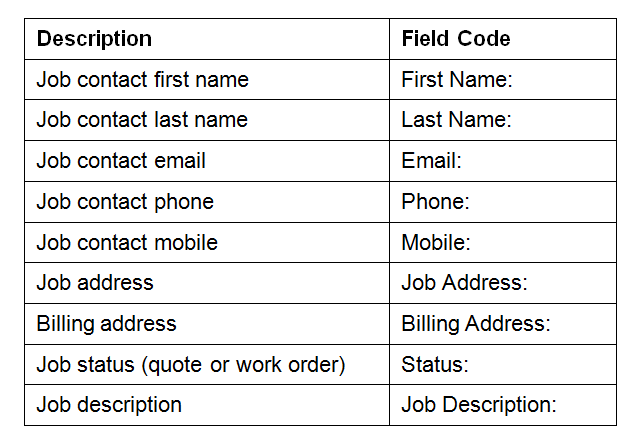
Note: field codes need to be followed by a colon (’:’ character).
Here is an example of an email being sent to the inbox which auto-fills information.
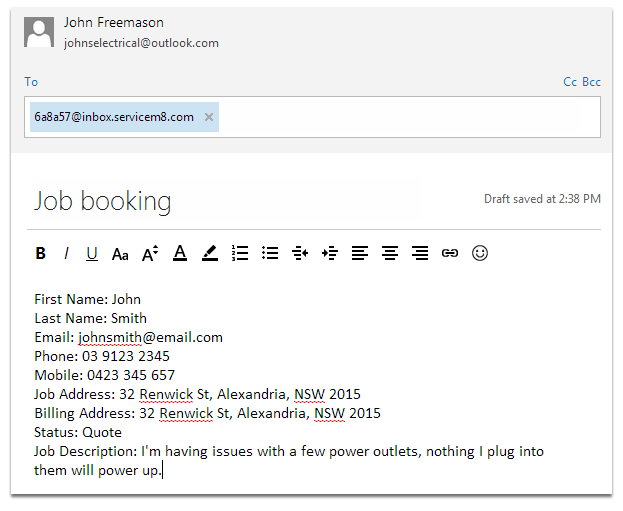
All information after the colon and before the new-line (Enter) will be used.
Here the email has arrived in the inbox.
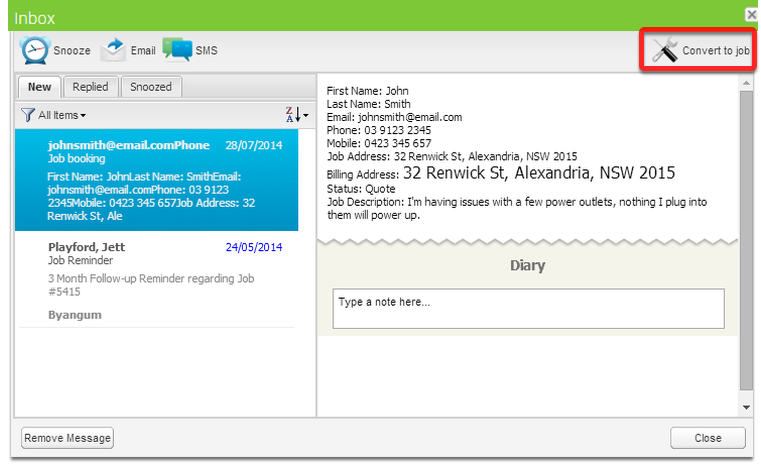
Information is automatically copied into the Job Card
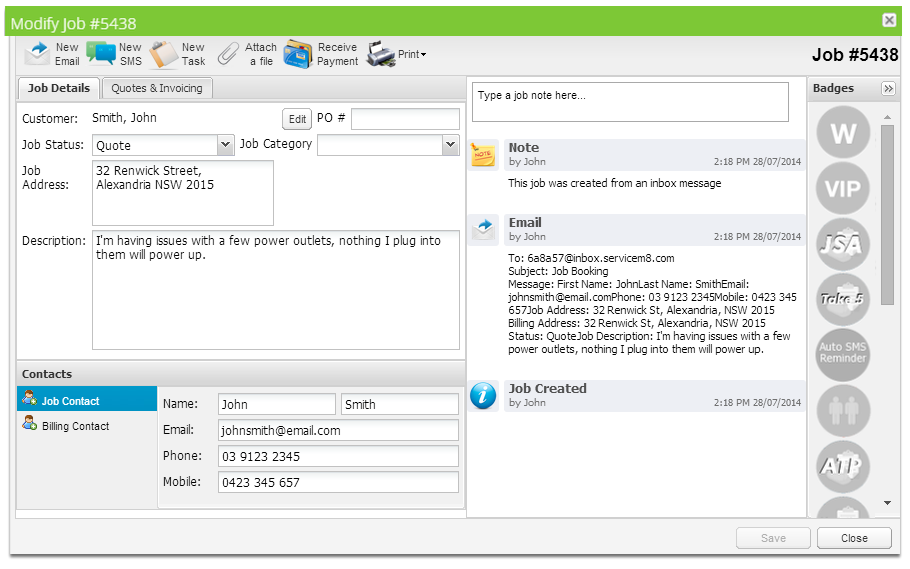
The newly converted job has all information from the email automatically filled.
Receiving messages from previous Clients
If you receive an Inbox message from an existing Client in your ServiceM8 account, ServiceM8 will automatically copy the contact and address details from the appropriate Client Card into the Job Card when the Inbox message is converted to a job. The Inbox message doesn’t need any field codes for this to happen, all that’s required is that the Inbox message is received from an e-mail address which matches a client already saved in your ServiceM8 account.