Third-Party Integrations
How the Deputy integration works
Learn about how the Deputy integration works in ServiceM8.
Deputy is a cloud-based solution that simplifies scheduling, timesheets, tasking and communication.
Deputy is a great solution for ServiceM8’s customers who have more complicated timesheeting and scheduling requirements than what ServiceM8 offers. When ServiceM8 is integrated with Deputy, staff members Clock On and Clock Off times are automatically recorded in Deputy as timesheets.
To utilize this tool you will need to enable the Deputy add-on first.
For more information about Deputy please see https://www.deputy.com/
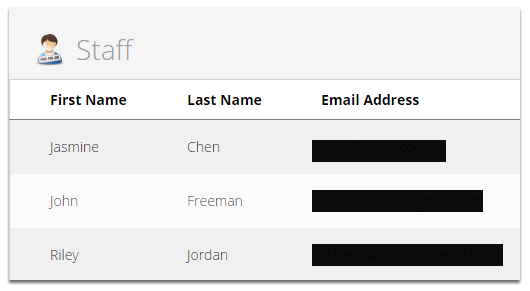
Once you have successfully integrated your Deputy account, all the staff members from your ServiceM8 account will be imported to Deputy and vice versa.
Staff view from ServiceM8
Staff view from Deputy
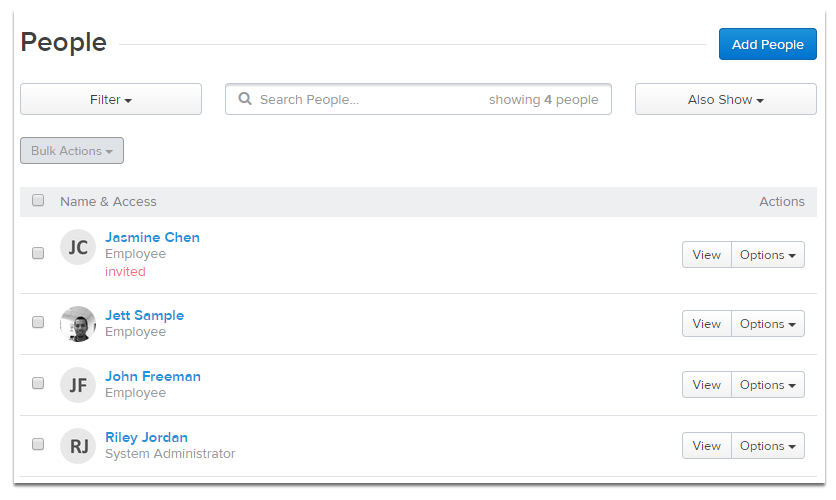
Note: Staff members added in ServiceM8 will be synced to Deputy, and vice versa. The sync process may take up to 20 minutes.
When a staff member clocks on and off in the ServiceM8 mobile app, ServiceM8 generates a timesheet automatically in Deputy
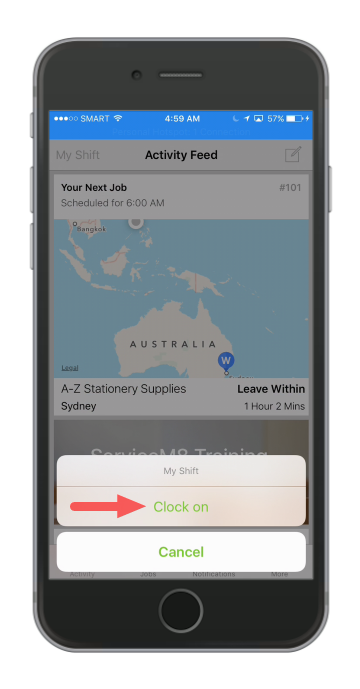
Tip: To learn more on how to clock on/off using the ServiceM8 app. Click here.
Clocking on from the ServiceM8 mobile app, will also indicate in the Deputy interface as shown below.
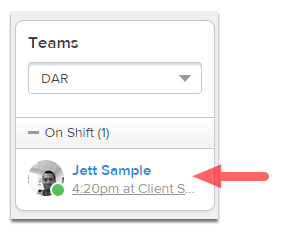
After the staff member clocks out in ServiceM8, a timesheet is created in Deputy.
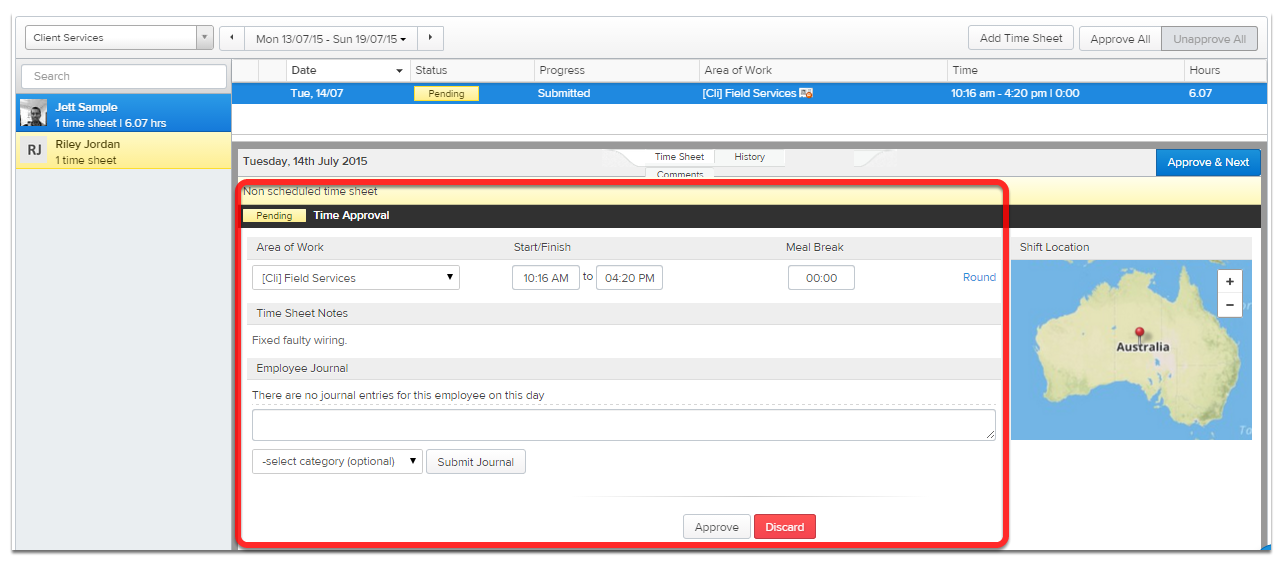
Here is the example of a staff time sheet in Deputy. That’s ready for you to approve. Timesheets will be posted into the default area of work that you have set up during the integration. You can customise each staff member’s area of work in ServiceM8’s Staff settings.
You can make timesheets in Deputy of 1 minute even by changing the settings.
Staff availability from Deputy
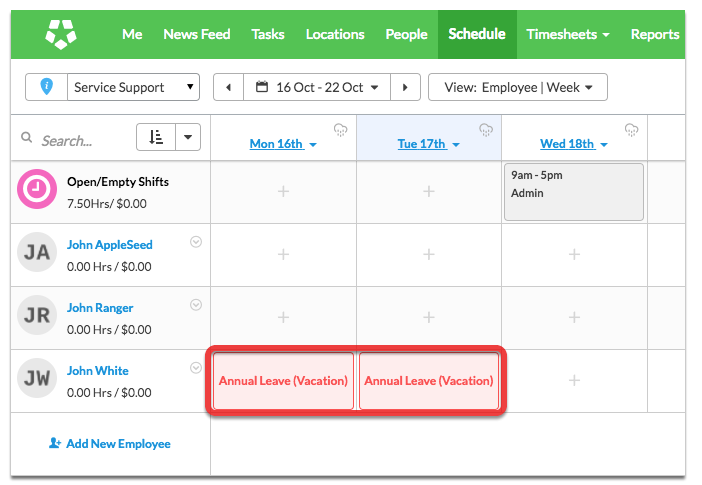
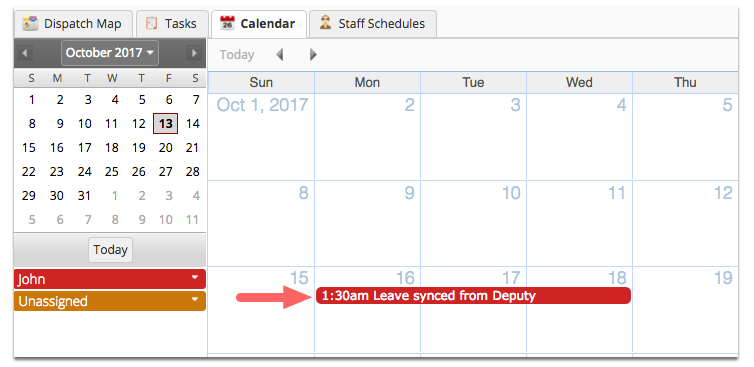
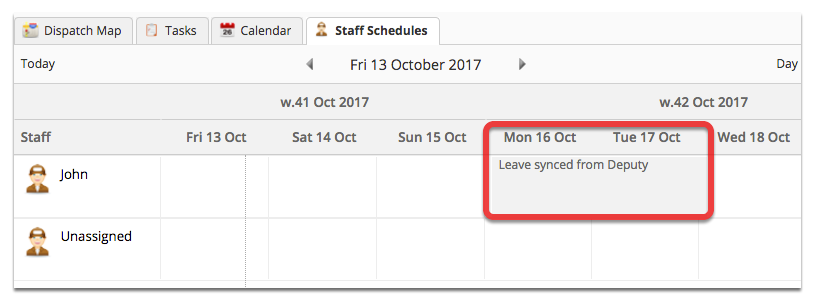
Approved staff/employee leaves from Deputy will also be synced to ServiceM8 Calendar and Staff schedules on the Dispatch board. The sync occurs every 20 minutes.