External Calendars
How do I see my ServiceM8 schedule in Apple iCal?
Find out how to see your ServiceM8 schedule in Apple iCal in ServiceM8.
In this tutorial you will learn how to add an external calendar from ServiceM8 to your iCal.
You will need to activate the External Calendars add-on first.
Login to your ServiceM8.com account.
From dashboard, click Settings
Click ServiceM8 Add-ons
Locate the External Calendar add-on then click the switch button to activate it
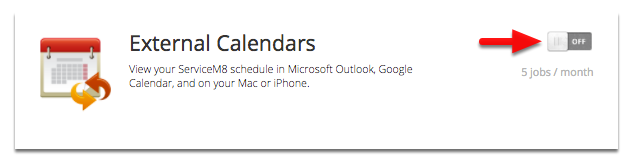
Note: Activating this add-on will cost you 5 job credits monthly.
Configure External Calendars
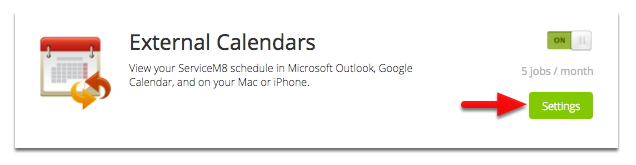
Click the Settings button to get your external calendars URL

Each staff member has their own calendar url, you will need to repeat the process for each staff member’s schedule you wish to see in your calendar.
Select and copy the entire URL for the relevant staff member

Configure Apple iCal
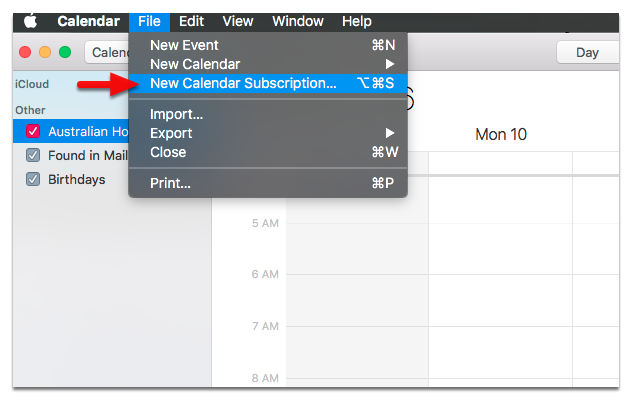
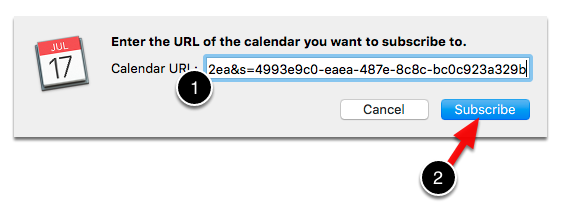
Open Apple iCal, and select New Calendar Subscription from the File menu
Paste the URL you copied in the above steps, and click Subscribe.
That’s it!
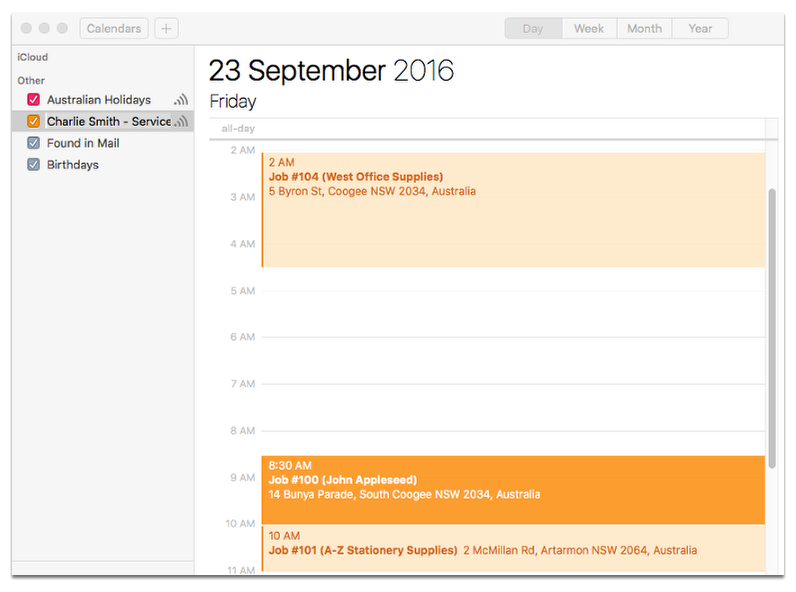
You should see your ServiceM8 schedule appear in your calendar in the next few minutes, repeat the process for each staff member’s schedule you would like to see.
Note: You are not able to make changes to your ServiceM8 Schedule, only view it. To make changes you must use the ServiceM8 Dispatch Board, or the ServiceM8 mobile app. Also be careful of recent changes, as while Apple iCal is kept in sync with your ServiceM8 Schedule, it’s not real-time - so recent scheduling changes may not be reflected.