

Office Agent
Office Agent plans, pricing and usage
Compare Standard and Pro, manage your Office Agent subscription and monitor daily usage.
Office Agent Standard includes chat in the ServiceM8 app and Online Dashboard with a daily usage allowance on current Starter, Growing, Premium and Premium Plus ServiceM8 plans. Office Agent Pro adds more daily usage and Scheduled Tasks.
Access and inclusions
These plans include the same daily chat allowance, including when your ServiceM8 subscription is billed through Apple.
Activate ServiceM8 Launch 2026 and Office Agent on your account. Your Security Role needs the Enable access to Office Agent permission for chat. See How to get started with Office Agent for Online Dashboard and app instructions.
You can use chat to ask questions and prepare supported actions for approval. Available information and actions depend on your staff permissions and active add-ons. Pro adds to your included daily allowance and provides Scheduled Tasks for recurring work. Managing tasks and subscriptions requires the Business Owner security role.
If you use legacy pay-as-you-go pricing, switch to an eligible current capped plan before activating Office Agent. Switching away from legacy pricing is a one-way change.
Pro pricing and billing
Office Agent Pro is an optional monthly subscription added to your existing ServiceM8 bill.
| Region | Monthly price |
|---|---|
| Australia | A$49 |
| Canada | C$39 |
| United States | US$39 |
| United Kingdom | £29 |
| European Union | €39 |
| New Zealand | NZ$59 |
| South Africa | R599 |
Pro starts immediately. You pay a prorated amount for the remainder of your current billing period, then the monthly Pro charge is added to your regular ServiceM8 invoice. Each account keeps its existing billing date.
For example, if your Australian ServiceM8 subscription renews on the 18th and you add Pro on the 25th, your first payment covers the 25th to the next 18th. From then on, A$49 per month is added to your regular invoice on the 18th.
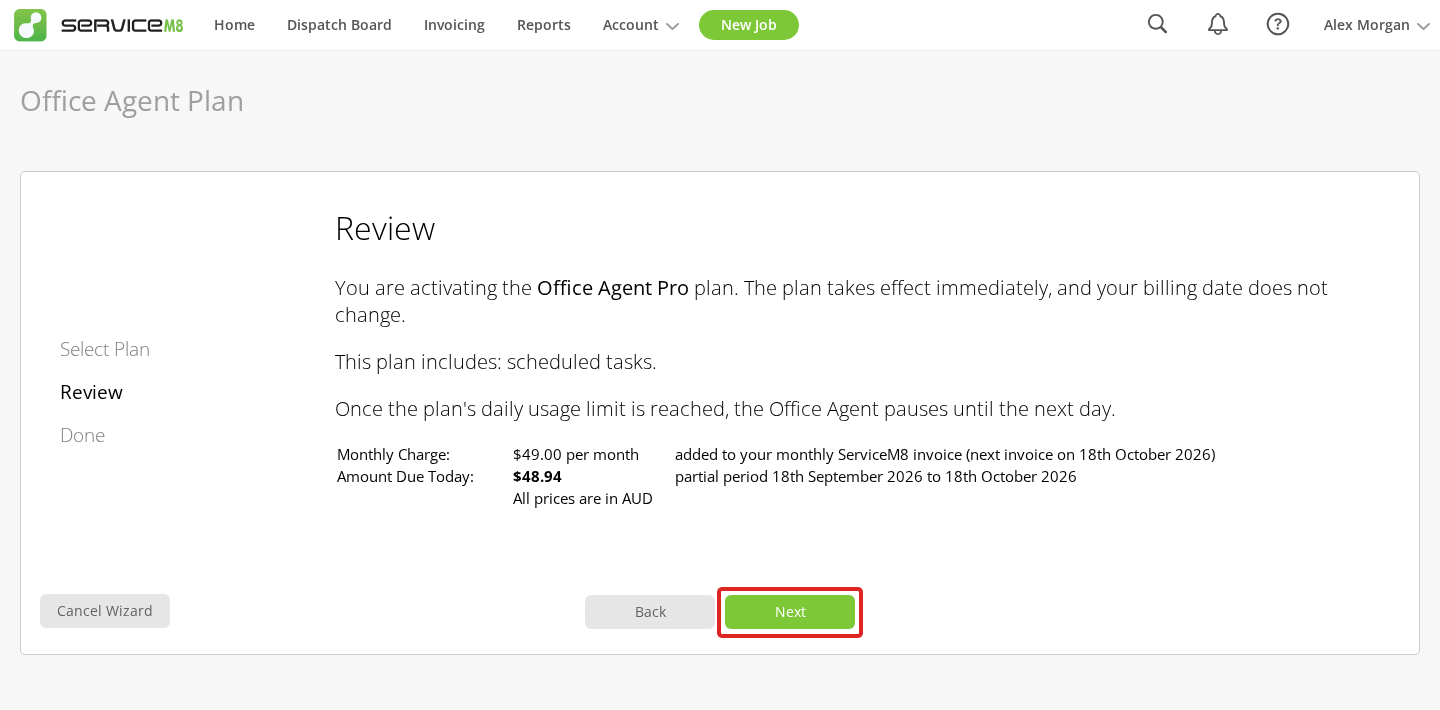
Review the monthly price and amount due today before confirming your purchase.
Upgrade to Pro in the Online Dashboard
Sign in with the Business Owner security role. Pro requires an eligible current ServiceM8 subscription billed directly by ServiceM8 and current payment details. If your subscription is billed through Apple, switch to direct ServiceM8 billing before subscribing to Pro.
-
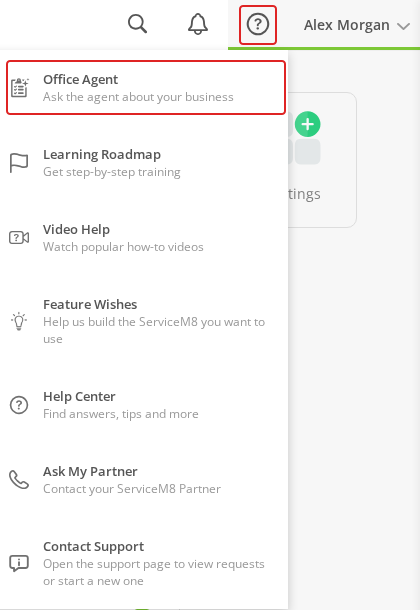
Click Help (the question-mark icon), then Office Agent.
-
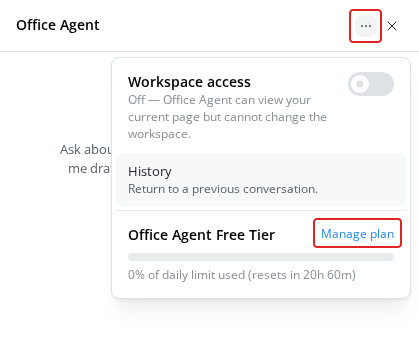
Open the three-dot menu at the top of the chat, then click Manage plan.
-
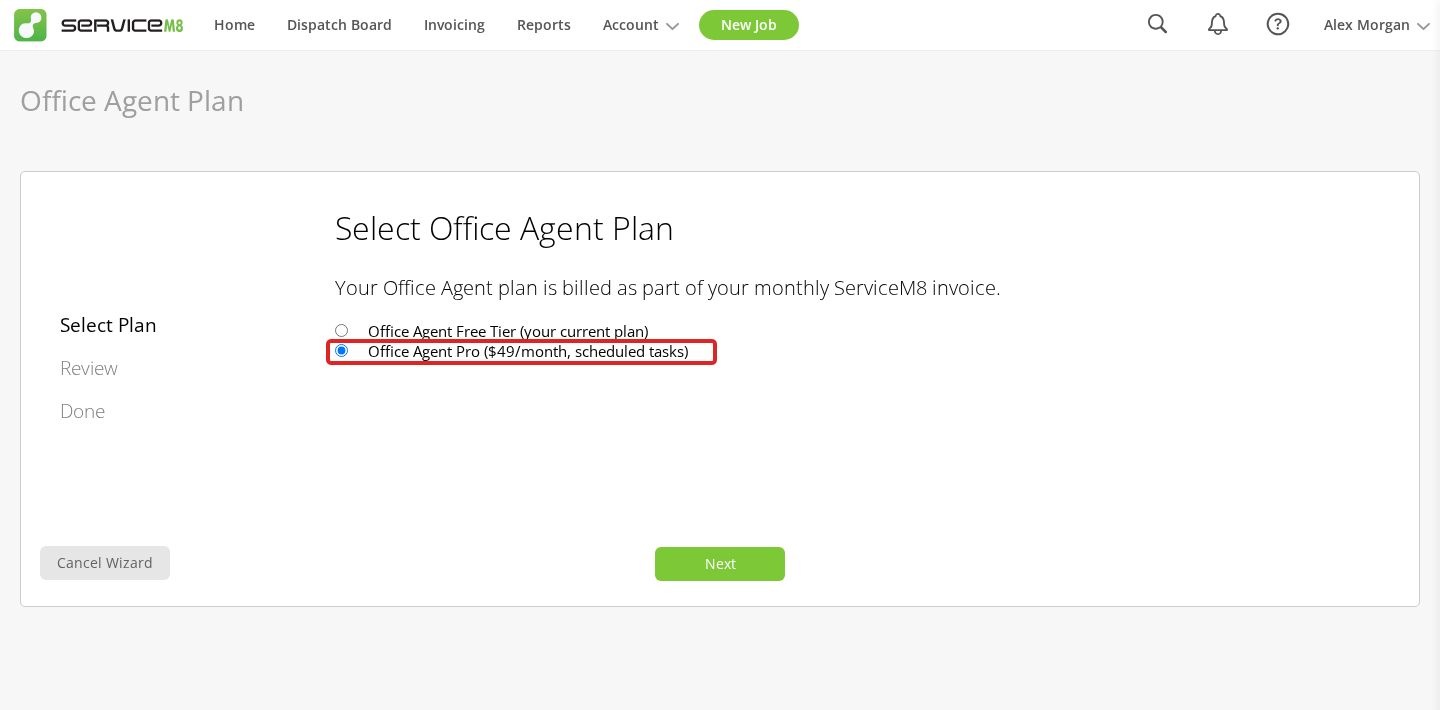
Select Office Agent Pro, then click Next.
-
Review Monthly Charge and Amount Due Today. Click Next to activate Pro and pay any amount due.
-
Click Finish. Pro’s additional daily allowance and Scheduled Tasks are now available.
Monitor your daily usage
-
In the Online Dashboard, open Help > Office Agent.
-
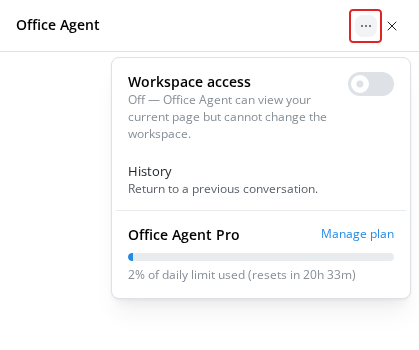
Open the three-dot menu at the top of the chat. Your usage appears directly in the menu, showing the percentage of your daily limit used and the time until it resets.
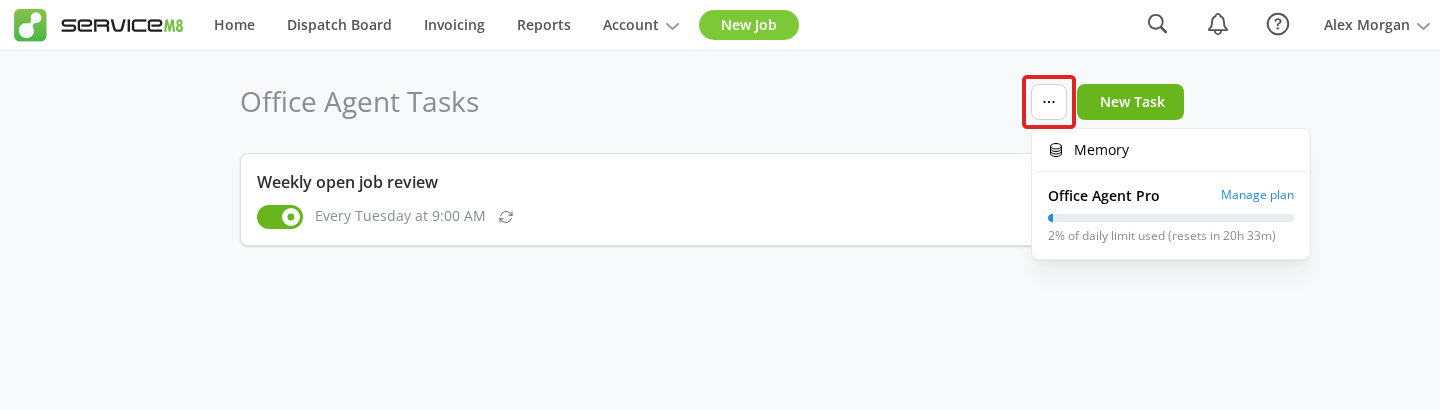
You can also open Office Agent from Home, then click the three-dot More actions menu beside New Task to see the same usage display.
Your allowance is shared across your account and resets at midnight in your account’s timezone. When you reach it, new runs pause until the reset. There are no usage overage charges.
Usage is not a fixed number of messages or tasks: requests can require different amounts of processing. Use the percentage display to monitor your allowance. For more daily usage, upgrade to Office Agent Pro.
Cancel Office Agent Pro
Sign in to the Online Dashboard with the Business Owner security role.
-
Open Help > Office Agent > the three-dot menu, then click Manage plan.
-
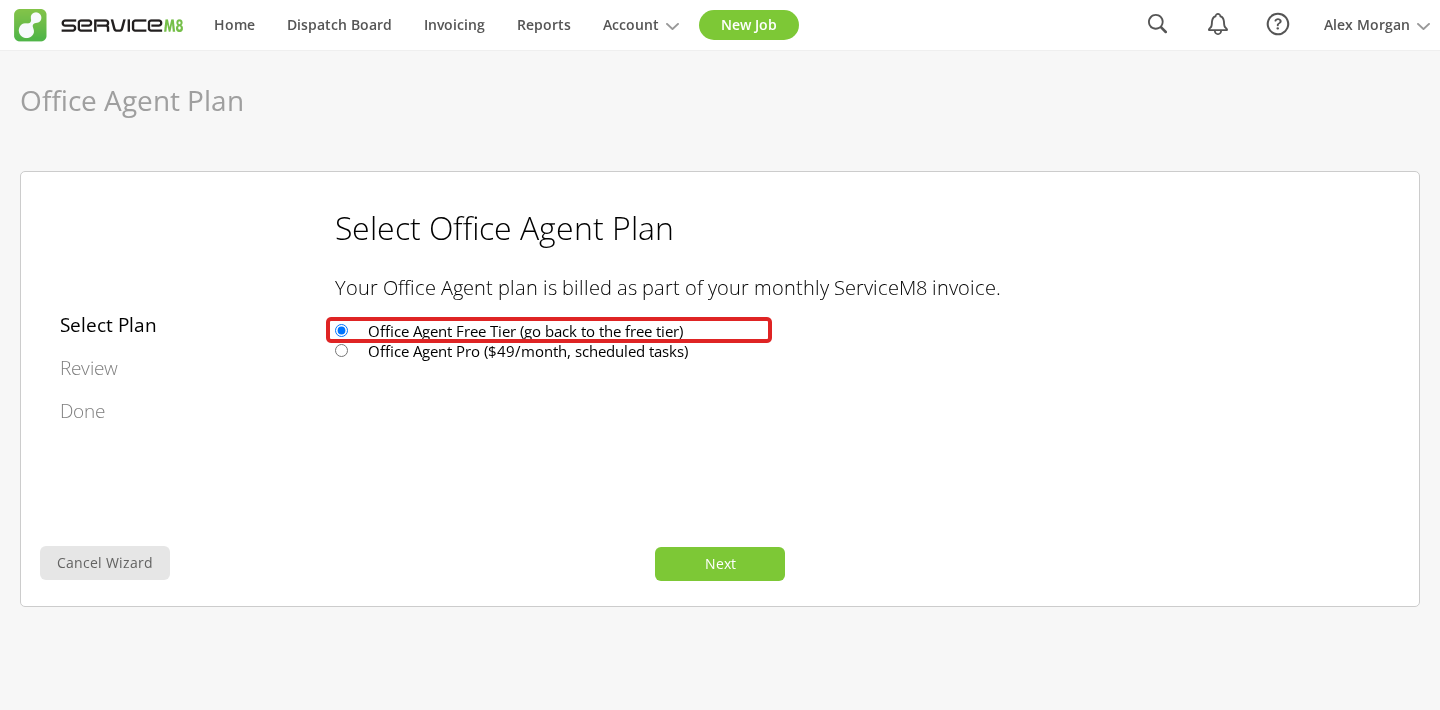
Select the option marked go back to the free tier, then click Next.
-
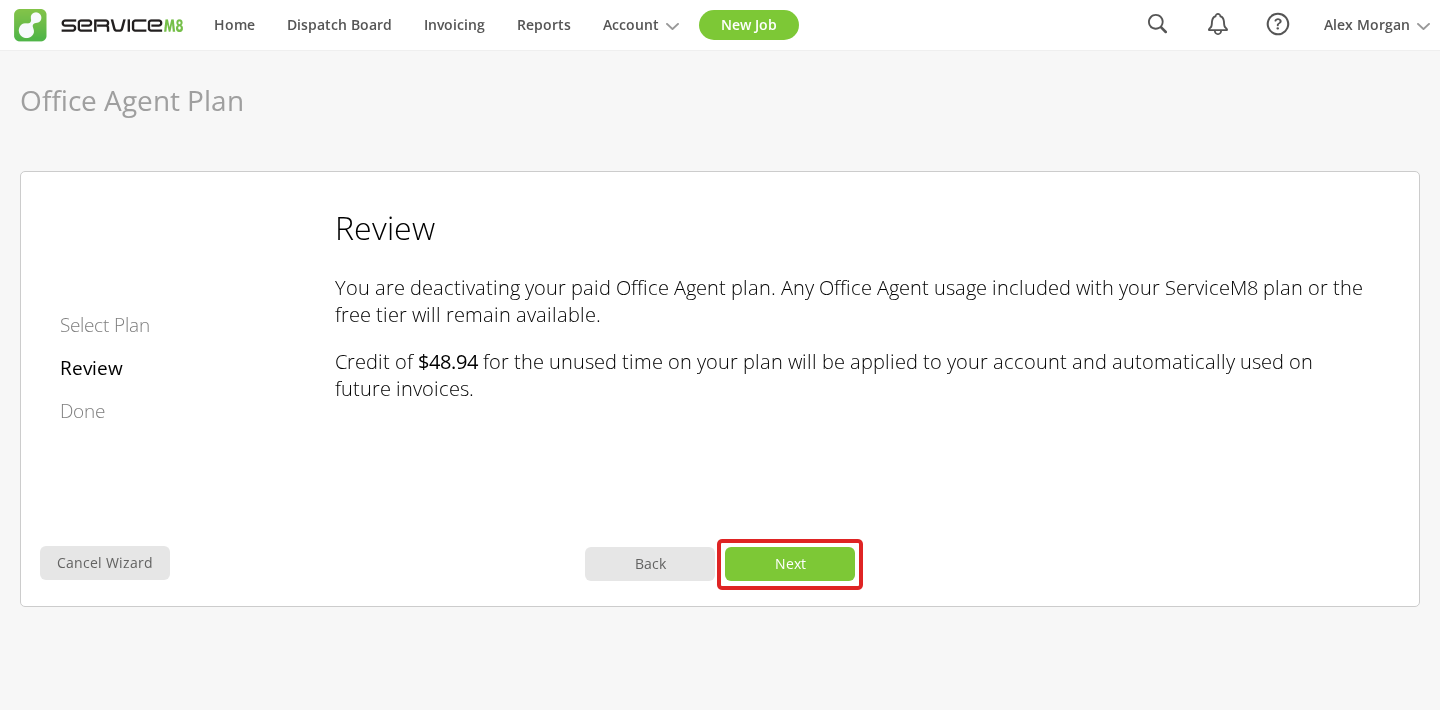
Review the unused-time credit, then click Next to cancel Pro.
-
Click Finish.
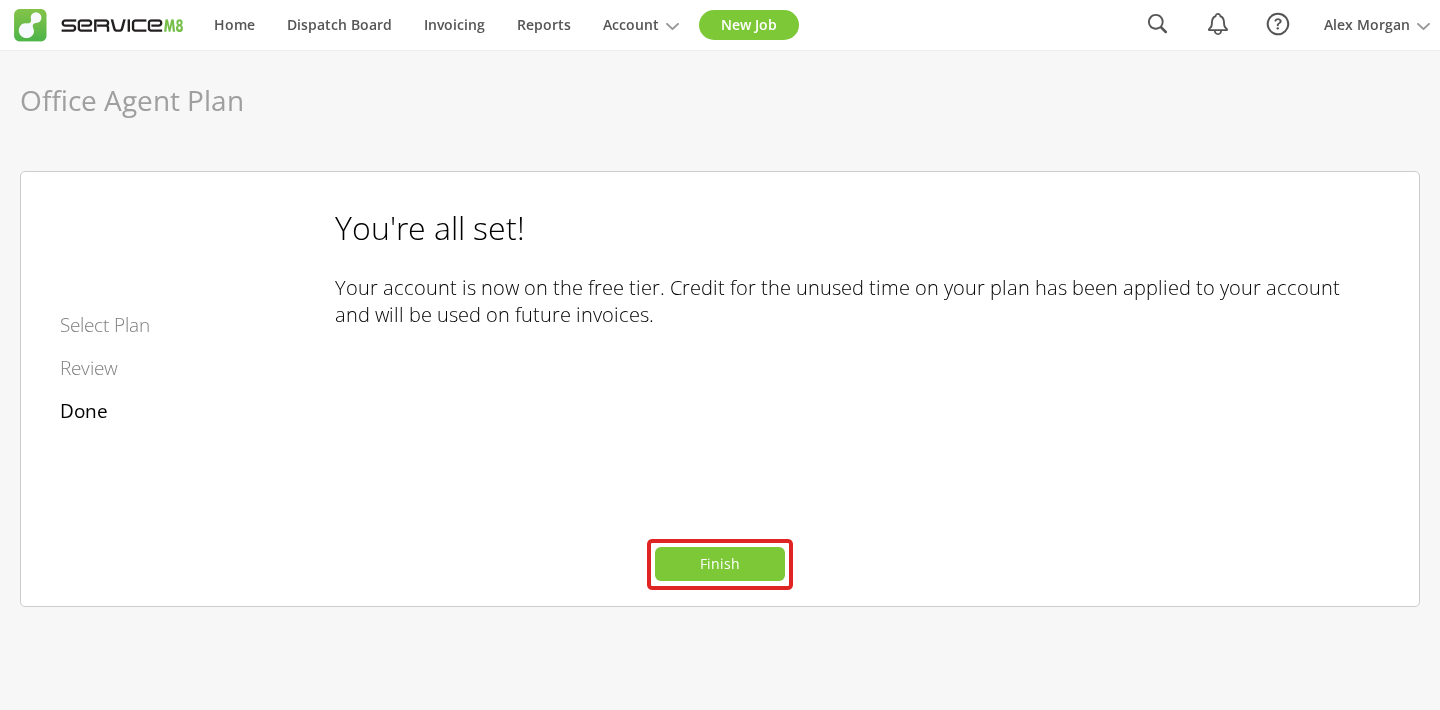
Cancellation takes effect immediately. You keep any usage included with your base subscription, while Pro’s additional allowance and Scheduled Tasks entitlement end. Your saved tasks are retained. Today’s usage does not reset when you change plans, so you may have already used the smaller included allowance.
Unused subscription time becomes account credit, automatically applied to future invoices, rather than a refund to your card.