

Third-Party Integrations
How do you turn on the MailChimp add-on and connect your account.
Understand how you turn on the MailChimp add-on and connect your account in ServiceM8.
This lesson will show you how to activate the MailChimp add-on and connect your account. This lesson assumes that you already have a MailChimp account.
In the Dashboard, Click Settings

Click ServiceM8 Add-Ons

From the ServiceM8 Add-ons page, scroll down until you find the MailChimp add-on
Click Connect on the MailChimp Integration

Welcome to MailChimp Integration Wizard, click Next
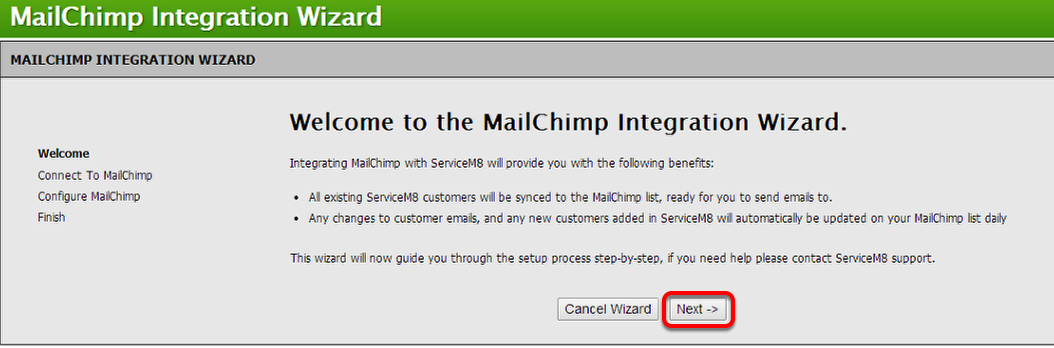
Click Next to connect your MailChimp account

Type your MailChip’s account and password and click Login

Configure MailChimp, click Next

Select the contacts you would like to add on your MailChimp list.
That’s it. You have now successfully integrated your MailChimp account to ServiceM8!

To learn more about how does the MailChimp integration work, click here.
Tags: mail, chimp, mail chimp, marketing