ServiceM8 Phone
How to send a call to Inbox with ServiceM8 Phone
Learn how to send a call to Inbox with ServiceM8 Phone in ServiceM8.
There are options for how you want to action a phone call with ServiceM8 Phone, depending on the nature of the call. You can:
- Enter a Call Summary (optional) and save the call record against an existing job for the client;
- Create a new job;
- Send the client an Online Booking SMS; or
- Send the call record to your ServiceM8 Inbox.
Sending the call record to your Inbox is a workflow when none of the other actions are appropriate, but you still want to action the call later in some way.
ServiceM8 Phone app
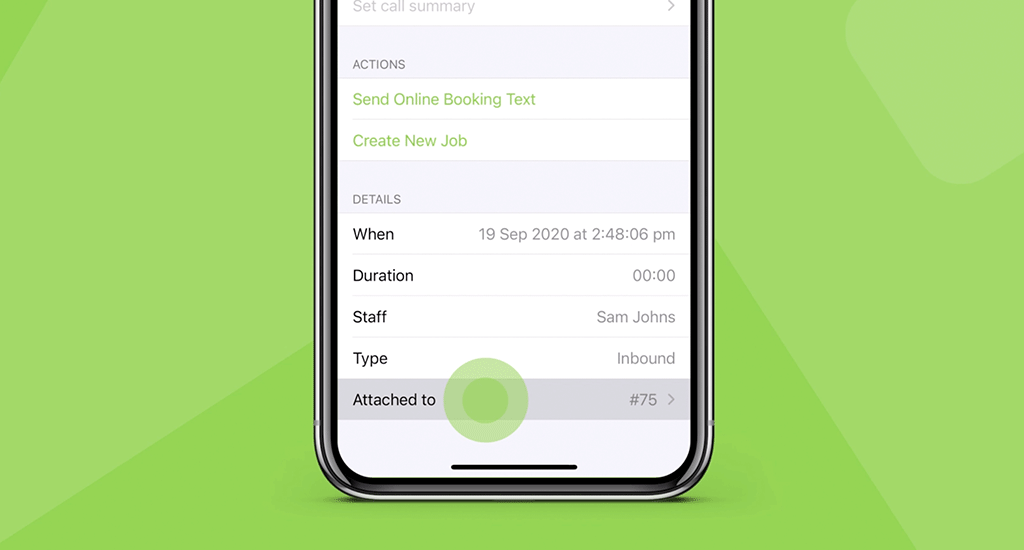
You can send a call record to your ServiceM8 Inbox after finishing a call, in the Call Details view. This view will appear immediately after ending the call, or in the Recent tab, tap the ‘i’ icon next to the call record to open the Call Details view, then tap Attached to > Assign call to Inbox
Online Dashboard
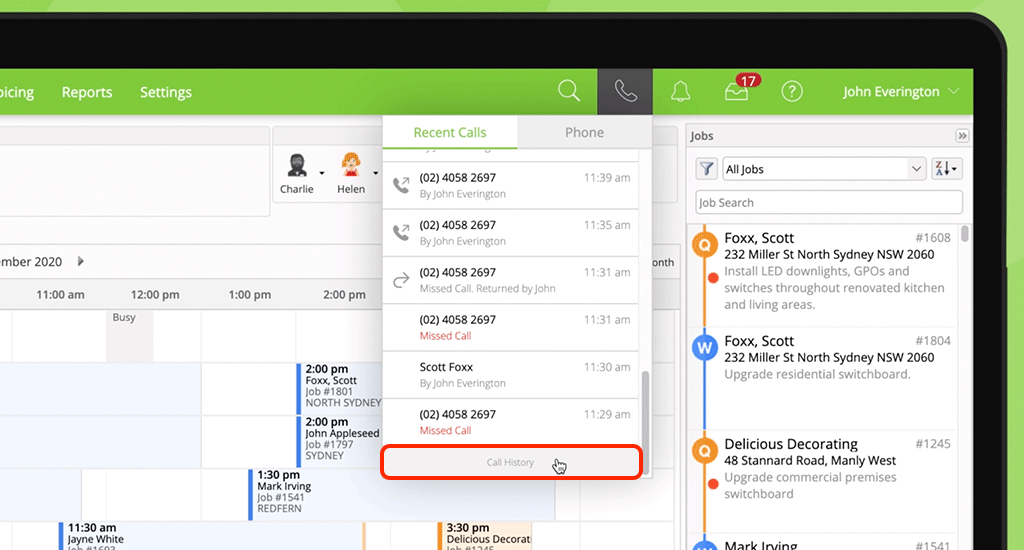
To send a call record to your Inbox in the Online Dashboard, click the phone drop-down menu > Recent Calls, and scroll down to Call History.
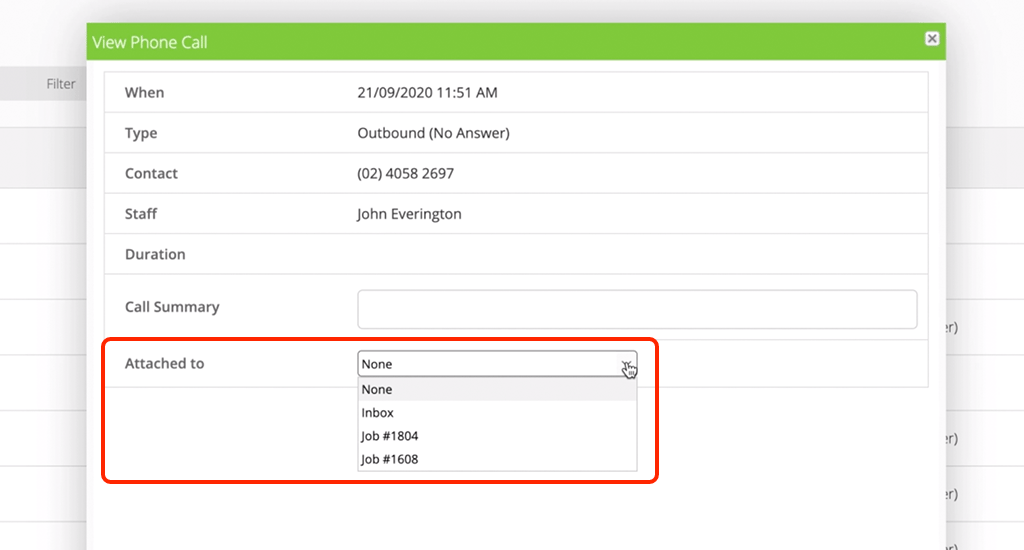
Search and open the relevant call record, and use the ‘Attached to’ dropdown to assign the call to your Inbox.