ServiceM8 Pay
How Deposits sync to QuickBooks Online with ServiceM8 Pay
Learn about how Deposits sync to QuickBooks Online with ServiceM8 Pay in ServiceM8.
ServiceM8 Pay makes the deposit process easy for both you and your clients. You set a percentage of a job’s value as your default deposit requirement, and your clients are automatically prompted to pay it when accepting a quote. To learn more, see How to use Deposits with ServiceM8 Pay.
With ServiceM8 connected to QuickBooks Online, when you take a deposit with ServiceM8 Pay, it’s added as a payment to the job card in ServiceM8. This payment is promptly synced to QuickBooks Online as a sales receipt against the client. This manages the payment appropriately and streamlines the reconciliation process once the job is complete and the balance has been paid.
Requirements for deposits to sync to QuickBooks Online
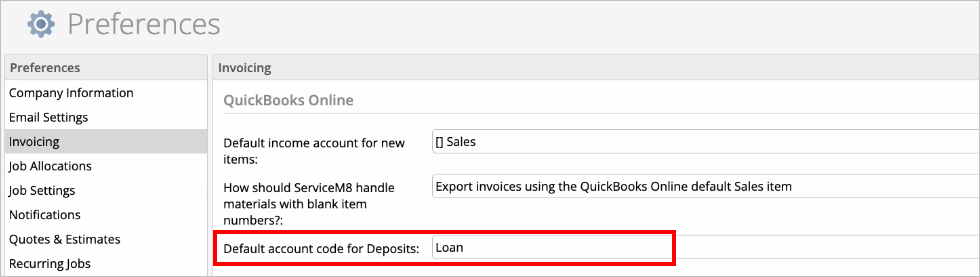
Deposits can only sync to QuickBooks Online when your ‘Default account code for Deposits’ in ServiceM8 is set to one of your liability accounts in QuickBooks.
To set the default account code:
- In your Online Dashboard, go to Account > Settings > Preferences > Invoicing.
- Under QuickBooks Online, use the dropdown to set the Default account code for Deposits to the liability account of your choosing.
- Click Save.

How Deposits sync to QuickBooks Online
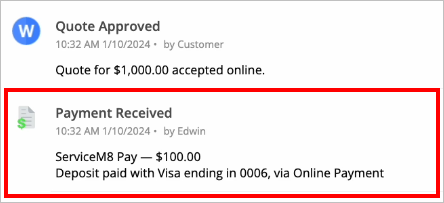
When a client pays a deposit upon accepting your Quote or Proposal, it will appear as a note in the job’s Diary and be added as a payment against the job.

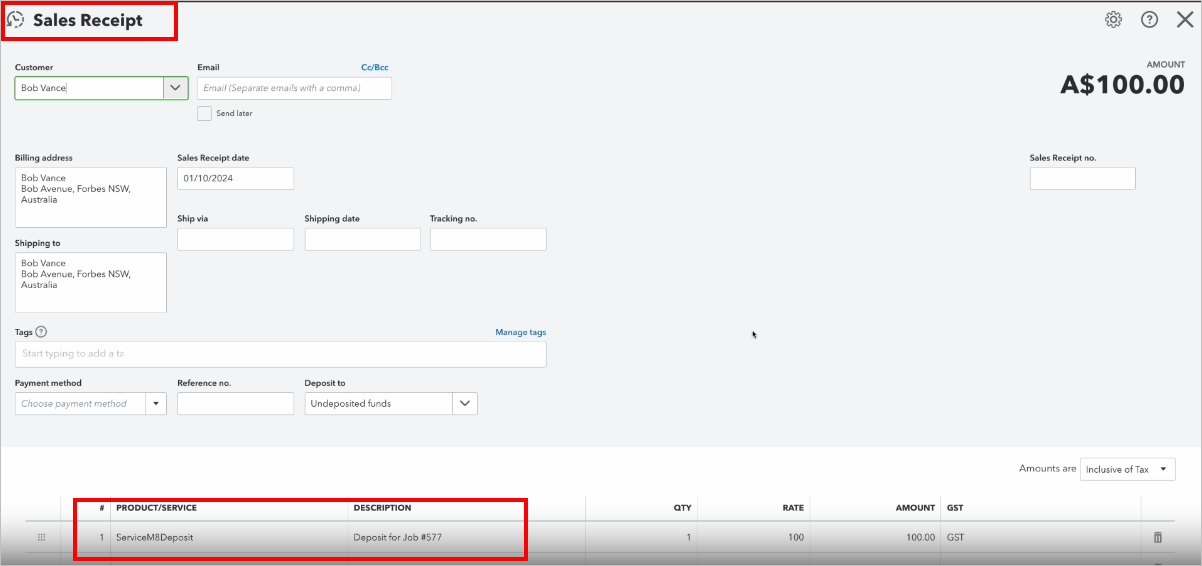
At this time, the payment will automatically sync to QuickBooks Online, as a receipt for undeposited funds against the client (which you’ll find in the liability account you set in the previous step).
- Product/Service will be “ServiceM8Deposit”
- Description will be “Deposit for Job #___”.

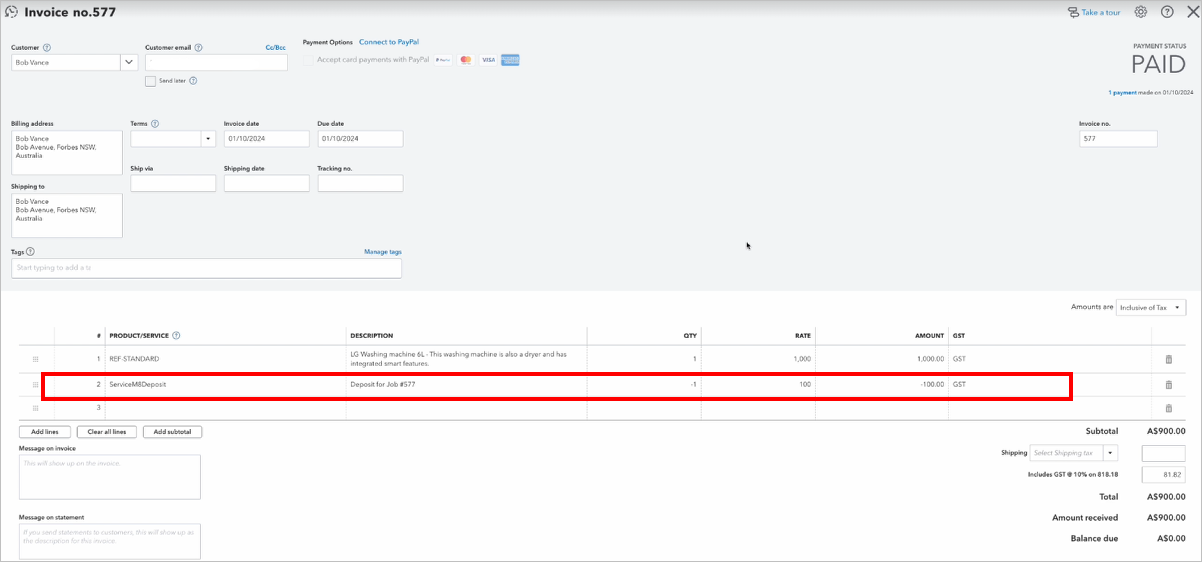
Once the job is done, update its Status to Completed in ServiceM8. The invoice will automatically reflect the deposit already paid, and the balance due.
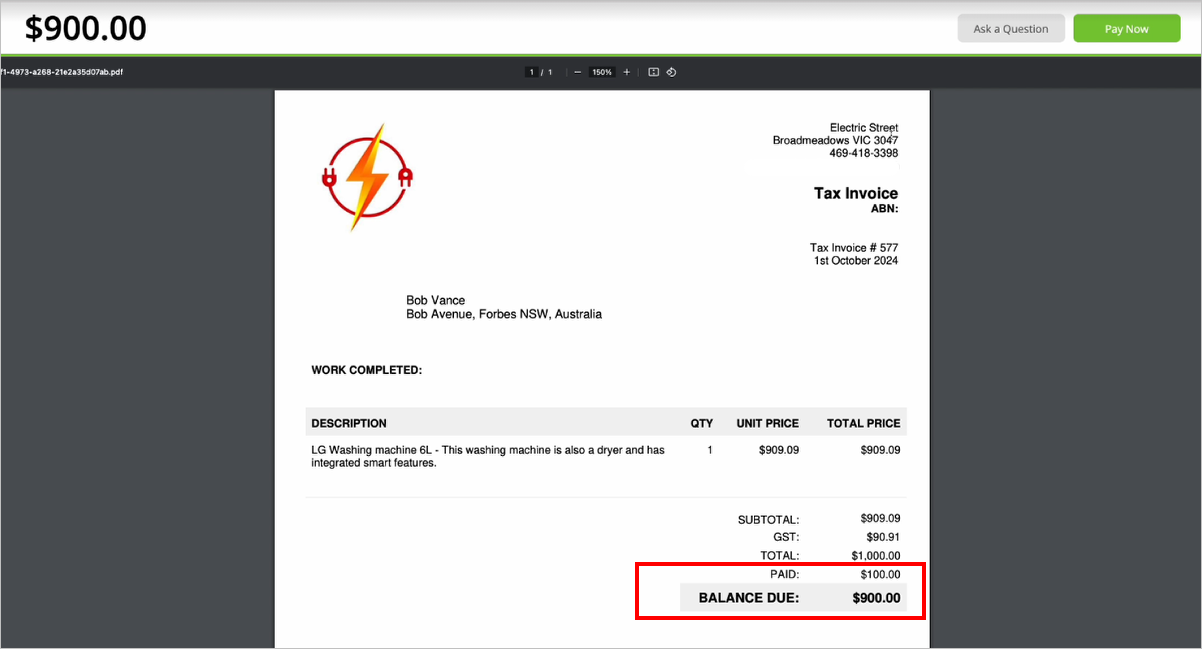

Approve the invoice to QuickBooks Online per your normal invoicing workflow, either after sending the invoice or after receiving payment.
Note that while the deposit payment would have synced to QuickBooks Online at the time it was paid, it will not be applied to the invoice in QuickBooks until the job is Completed and fully paid in ServiceM8, and approved to QuickBooks.
Once the job is fully paid, when reviewing QuickBooks Online, you will see the deposit applied as a line item on the job’s invoice, aligning the total sales receipts for that client.