

Reports
Change the Business Dashboard date range
Choose a reporting period in the Online Dashboard and compare your business metrics with the preceding period.
You need access to Reports. By default, this is available to the Business Owner security role.
Change the reporting period
-
In the Online Dashboard, click Reports. If another report is open, click Overview under Dashboard in the left menu.
-
At the top right, choose 7D, 30D, 3M, 6M or 12M to view the last 7 or 30 days, or the last 3, 6 or 12 months. The dashboard opens at 30D by default.
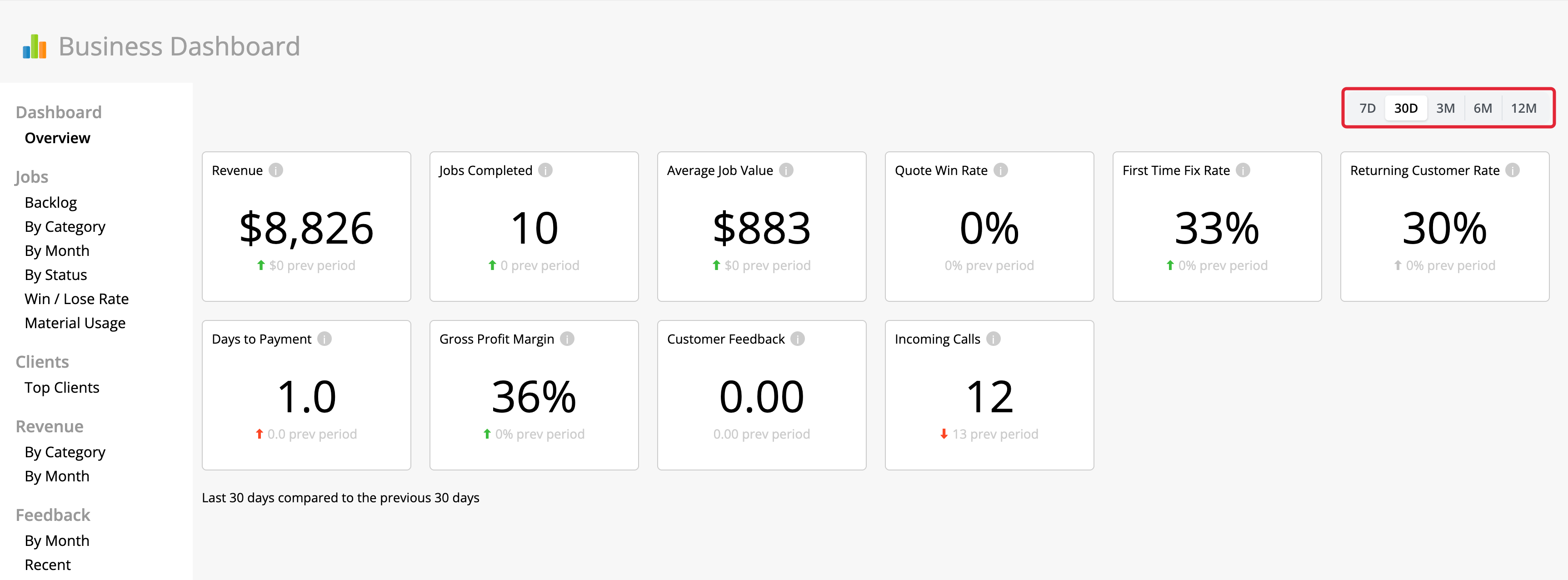
-
Read the updated cards and the comparison note below them. For example, selecting 6M shows the last six months.
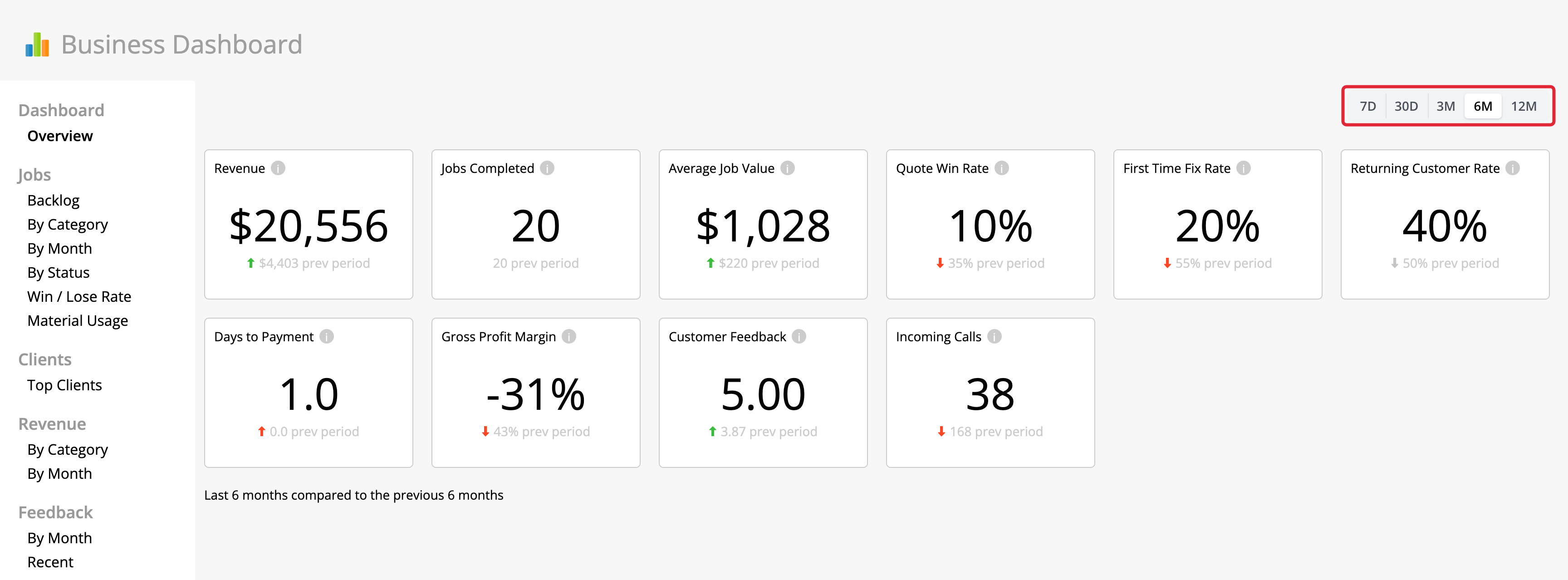
Read the comparison
The smaller figure beneath each metric is its value for the immediately preceding period of equal length. The note below the cards identifies the comparison.
Month options cover rolling months. All ranges end before today, so today’s incomplete data is excluded.