Knowledge
How to attach and use PDFs as Knowledge
Learn how to attach and use PDFs as Knowledge in ServiceM8.
Knowledge is a ServiceM8 Add-on — to get started, ensure the add-on is activated through your Online Dashboard (go to Account > Settings > ServiceM8 Add-ons). If you can’t see the Knowledge add-on, check your plan details.
In 2025, ServiceM8 introduced the ability to upload a PDF as Knowledge. Once it’s attached, the PDF will be auto-converted for optimised viewing in the mobile app, and you can view the original PDF at the tap of a button.
How to Upload a PDF as Knowledge
1. In your Online Dashboard, go to Account > Settings > Knowledge > Add Knowledge, and select ‘Attach Knowledge’.

2. Set a Title and any Tags you want associated with the content, then upload the PDF and save.

How to view Knowledge PDFs
1. In the ServiceM8 app, you can search and find Knowledge PDFs from a job card, just like Articles and Videos.


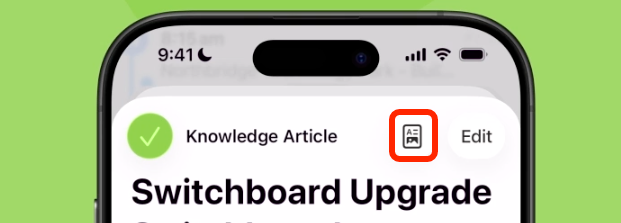
2. By default, the PDF’s content is formatted for viewing in the mobile app, however you can view the original PDF at the tap of a button.