

ServiceM8 Phone
How to divert calls to a Secondary Call Group
Learn how to divert calls to a Secondary Call Group in ServiceM8.
You can use advanced settings to create a second level of call management in your ServiceM8 Phone routing. If a call comes in that would normally be answered but isn’t, then you can divert the call to a “backup” staff member or external number (i.e. a “Secondary Call Group”), instead of going straight to voicemail.
Default call routing without a Secondary Call Group
When you first set up your ServiceM8 Phone, you identified your Business Hours Call Group. These are the staff members who receive incoming calls to your business phone number. If you offer service after hours, you may have also designated a staff member to be the Staff on Call after hours. In both cases, if these designated staff members cannot answer the phone, the call is routed to voicemail.

Call routing with a Secondary Call Group
If you find that too many calls are being missed or sent to voicemail, you may choose to set up a Secondary Call Group. This adds another opportunity for a staff member (or virtual assistant) to speak with the client before the call gets routed to voicemail. You can choose to set up a Secondary Call Group for regular business hours only, for after hours only, or for both.

A call is diverted to a Secondary Call Group if the Business Hours Call Group (or Staff on Call):
- Does not answer (20 seconds)
- Declines the call or is busy with two lines (immediate)
From there, the call is diverted to voicemail if the Secondary Call Group:
- Does not answer (30 seconds)
- Declines the call or is busy with two lines (immediate)
Setting up the Secondary Call Group
To set up the Secondary Call Group:
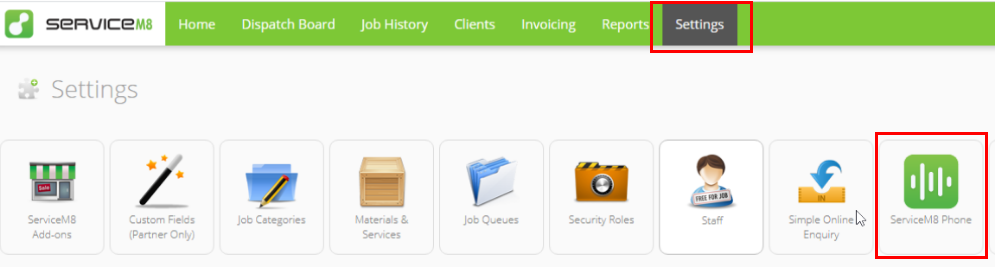
1. From your Online Dashboard, go to Settings > ServiceM8 Phone.

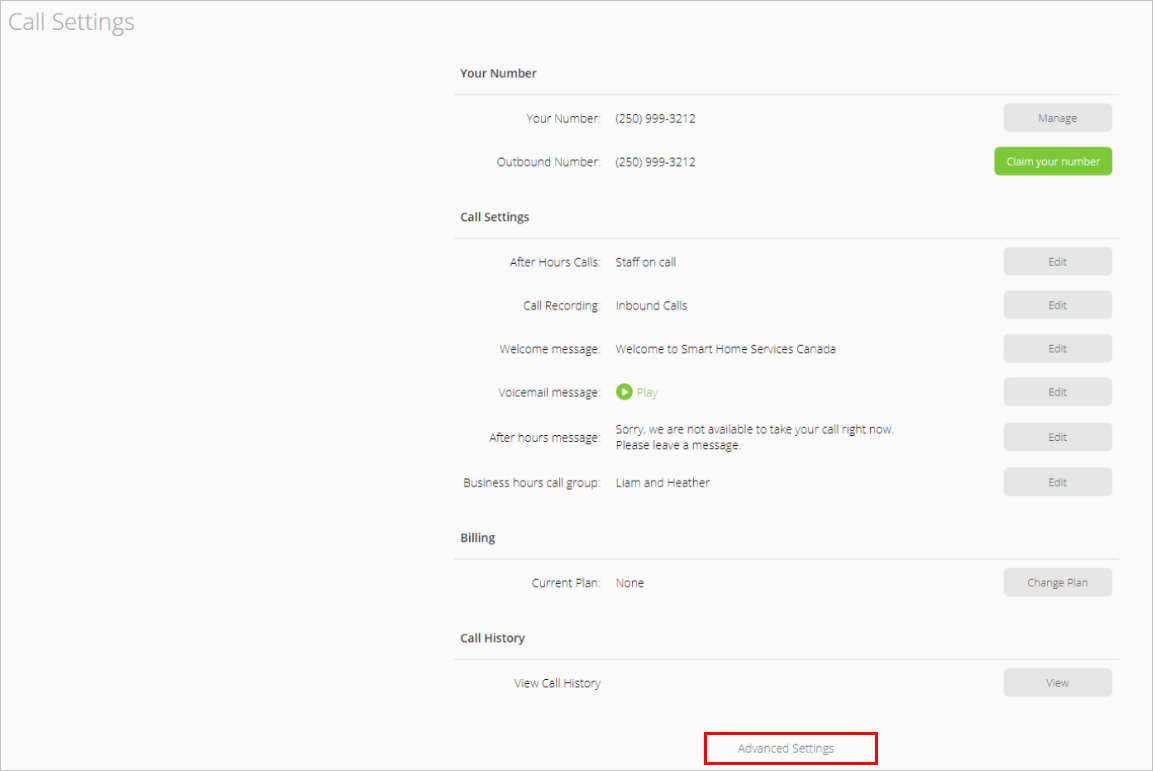
2. Scroll down the Call Settings page to the bottom, then click Advanced Settings.

3. Click Edit.


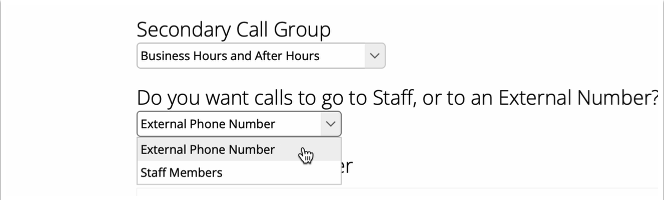
4. The Secondary Call Group wizard opens. Click the Secondary Call Group field and select if you want to set it up for:
- After hours only
- Business Hours and After Hours
- Business Hours Only


Note that if you select ‘Business Hours and After Hours’, the Secondary Call Group remains the same at all times.
5.Choose whether you want calls to ring through to one or more staff members, or for calls to go to an external phone number (e.g. if you have a virtual assistant or call-answering service).
- Staff Members: set one or more Staff Members to belong to the Secondary Call Group
- External Phone Number: set a phone number to serve as the Secondary Call Group. Learn more
Once done, click Next.

Confirmation will appear that the Secondary Call Group is activated for the time period you specified, with the staff member or external number you specified.
TIP: Be sure to revise settings whenever staff members or your external service provider are absent e.g. annual leave. It’s easy to do - just run the wizard again!