Website and Email
How to add and delete images from your website gallery
Learn how to add and delete images from your website gallery in ServiceM8.
If you are using the Website and Email Add-On, then it is easy to showcase your work in your website photo gallery. You can share job photos to your website directly from ServiceM8, keeping your content fresh and your customers impressed!
This article covers adding images to your website gallery and deleting images from your website gallery.
Adding images to your website gallery
Whenever you have a great photo from a job well done, share it to your website gallery straight from the job card.
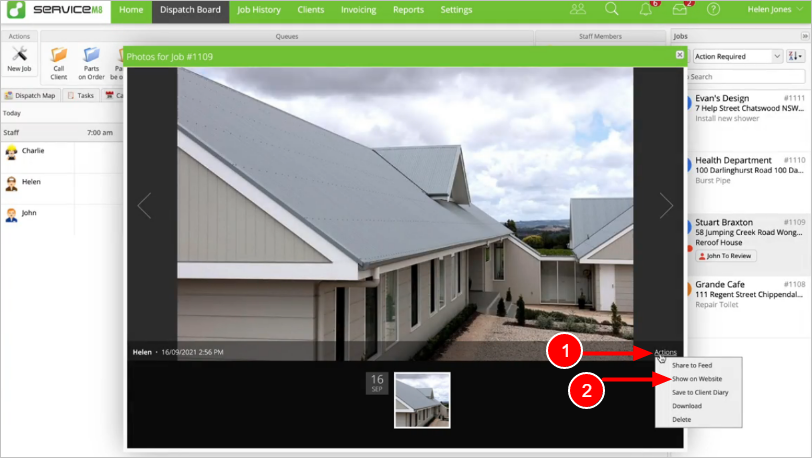
To share a photo from the Online Desktop:
- From the Job Diary, double-click the photo to open it.
- Click Actions > Show on website.
The photo will be shared to the website gallery.
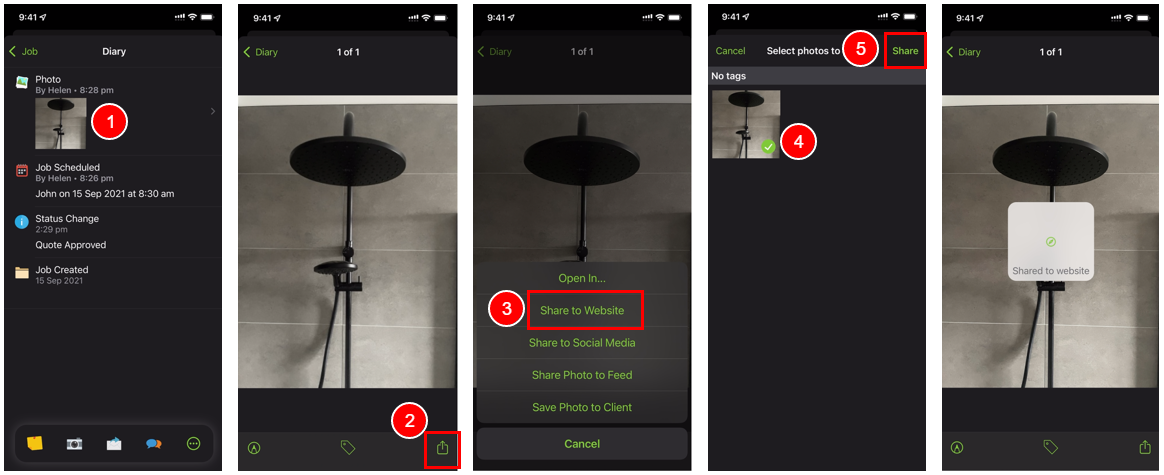
To share a photo from the ServiceM8 App:
- Tap the photo in the Job Diary to open it.
- Tap the Share icon.
- Tap Share to Website.
- Tap the photo to select it.
- Tap Share.
The photo will be shared to the website gallery.
TIP: You can also share an image to the website gallery by tagging it with “Show on website”.
Deleting images from your website gallery
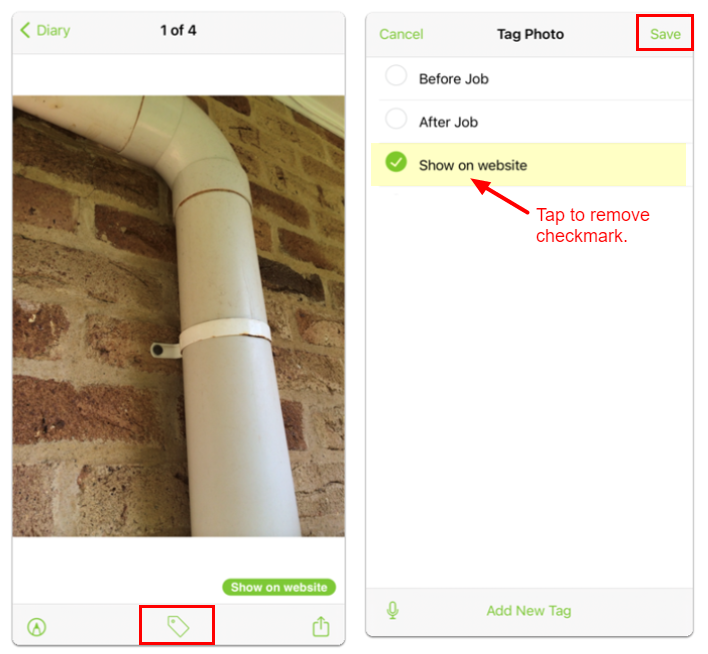
Deleting images from your website gallery can only be done by removing the image tag within the ServiceM8 App.
To delete an image:
- Tap the photo in the Job Diary to open it.
- Tap the Tag icon.
- Tap Show on website to remove the checkmark.
- Tap Save.
The image will be removed from the website gallery.