

Third-Party Integrations
A quick introduction to Workato integration
Get an overview of Workato integration in ServiceM8.
ServiceM8 enables you to take advantage of web app integrators such as Workato.
Workato is an web automation app which allows you to connect and automate business workflows across supported cloud-based apps. This means you can build your own customised connections between supported apps, without needing to hire an app developer.

Workato uses combinations of triggers and actions to connect apps together. These are called ‘recipes’.
Recipe is a set of instructions or steps that tells you how your apps would work together and exchange information with each other.
Trigger is an event that caused your recipe to start.
Action is the resulting events that moved data across apps.
List of supported Triggers and Actions by Workato
Triggers
Any of these certain events in your ServiceM8 account can trigger actions in other apps you’re integrating ServiceM8 with:
- Client updated
- Contact created
- Job activity created
- Job quoted
- Job updated
- Material created
- Staff created
Actions
Any of these ServiceM8 events can be triggered by events in other apps:
- Add job
- Add job material
- Add staff
- Create client
- Create contact
- Create material
- Update client
- Update contact
- Update job
- Update material
Build your own recipe
1. Plan it out
2. Establish app connections
3. Define the trigger and condition
4. Define the action
5. Build or start the recipe
ServiceM8 available recipes that you can start with
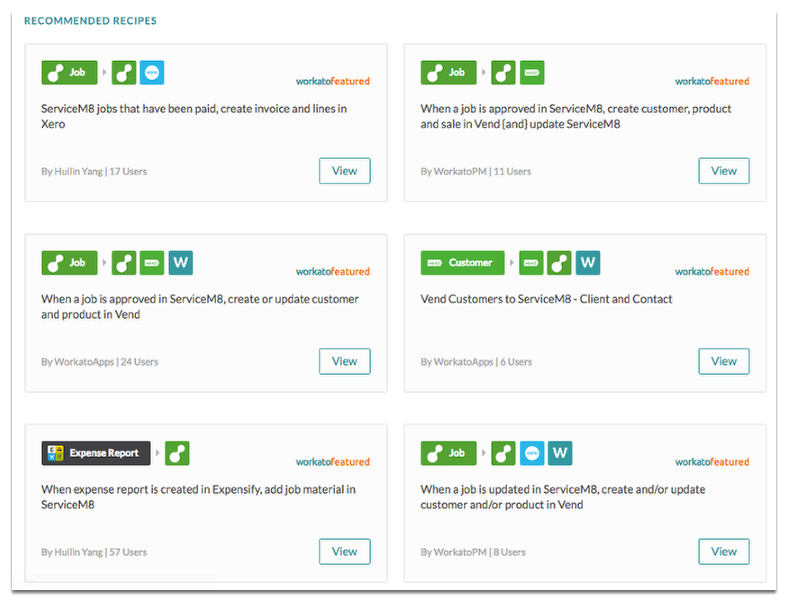
You can find these existing ServiceM8 recipes here.
To learn more about Workato check out the links below:
Workato - How it works
Workato - Plan and Pricing
You can give it a try for free if you sign up for a trial account here.
Contact Partners
If you can’t spare the time, consider contacting a ServiceM8 Partner for setup assistance – because they’re already familiar with ServiceM8, they’ll likely be able to build on your ideas for connections and find even more ways to automate and streamline your workflows.