

Job Templates
How to apply a Job Template to an existing job
Learn how to apply a Job Template to an existing job in ServiceM8.
When you first create a job, you don’t always know exactly what type of job it will be. As you learn more, you may discover that one of your existing Job Templates should be applied to ensure quality and consistency of both the information gathered and the work to be done.
To apply a Job Template to an existing job from the Online Dashboard:
- Open the job card from the Online Dashboard.
- Click More in the top-right corner.
- Click Apply Template.

- Select your desired Job Template from the list.
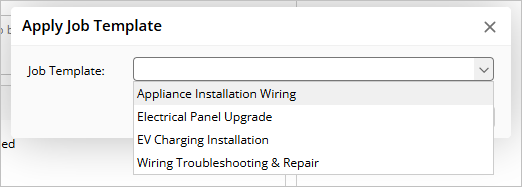
- The selected template content will populate the corresponding fields in your existing job, such as:
- Job Description
- Checklists
- Items and services
- Forms and documentation
- Other template-specific content
Note that applying a job template will overwrite most job card fields. However, client information (such as client name and contact details) and the job diary will remain unchanged.