ServiceM8 Phone
Porting your existing phone number to ServiceM8 Phone
Learn about porting your existing phone number to ServiceM8 Phone in ServiceM8.
“Porting” is the process of transferring your phone number from one phone service provider to another i.e. switching phone service providers, and taking your existing phone number with you. Porting your number to ServiceM8 Phone is a significant process, which can take 4-6 weeks.
You will need to maintain your service/account with your existing phone service provider until the porting process to ServiceM8 Phone has successfully completed, after which you can contact your previous provider to ensure your account is properly cancelled.
You may be eligible to port your external business phone number from your existing phone provider to ServiceM8 Phone. By porting your business number to ServiceM8 Phone, you will no longer need to divert calls, and you will eventually be able to cancel your service account with your existing phone service provider.
To be eligible to port a phone number into ServiceM8 Phone, you must:
- Have a signed letter of authorisation for your existing service provider (template provided within porting process);
- Have your most recent phone bill for the phone number you are porting; and
- Have used ServiceM8 Phone for a minimum of 2 weeks and 50 calls.
The phone number you want to port must be:
- A regular phone number with a standard area code (special 1300/1800/13 numbers are not supported); and
- A landline number (except in Australia, where both landline and mobile numbers can be ported to ServiceM8 Phone).
If you meet all eligibility requirements, then you can port your phone number to ServiceM8 Phone.
You must keep the number being ported in service with your existing provider throughout the whole process. You will be notified via email when the process is complete, at which time you can cancel your old account.
To port your existing phone number to ServiceM8 Phone:
-
Log into your Online Dashboard on your desktop computer.
-
Go to Account > Settings, and click ServiceM8 Phone.
-
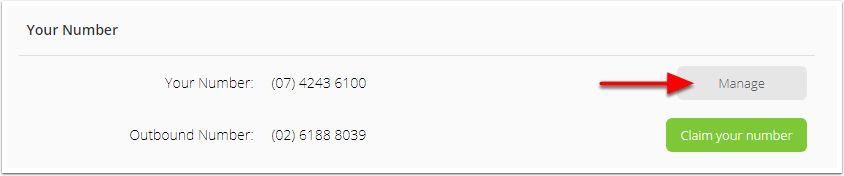
Next to Your Number, click Manage.
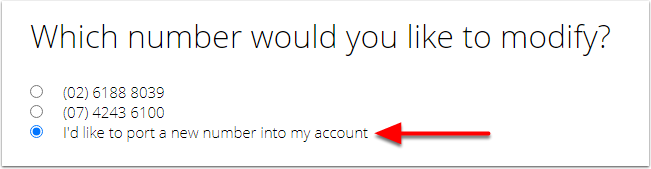
- Select I’d like to port a new number into my account, and click Next.
- Review the porting requirements carefully.
- To download a Letter of Authorisation template, click the view document link under Required Documents.
- Complete the Letter of Authorisation, download your most recent phone bill from your service provider, and save them both on your computer. You will need them shortly.

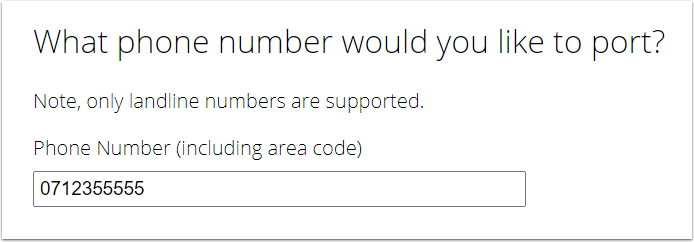
- Enter the phone number you would like to port, and click Next.
.
For Australian customers porting a mobile number to ServiceM8 Phone: as soon as the porting process is complete, you will lose the ability to make/receive calls, send/receive SMS text messages, and use mobile data, on the device that used that number and service. You will need a new SIM card and phone service for that mobile device. Once the number has been successfully ported to ServiceM8 Phone, any texts sent to the number will instead arrive in your ServiceM8 Inbox (only).
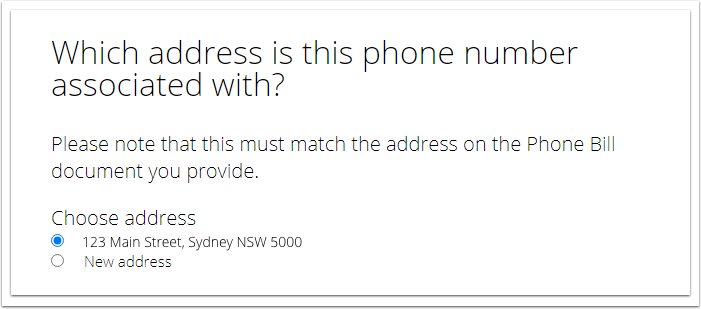
- Choose the address associated with the phone number or, if it is a new address, choose New address and populate the information accordingly. Click Next.
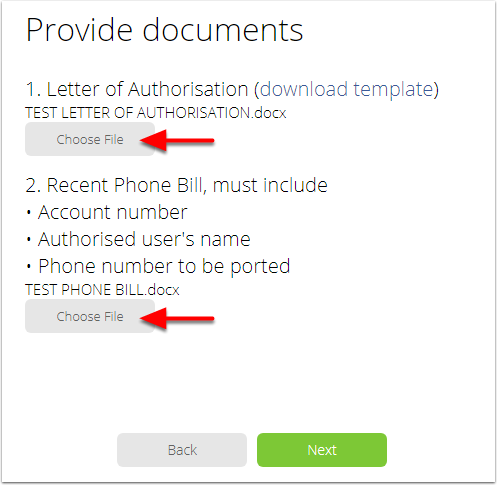
- To upload your Letter of Authorisation and phone bill:
- Click Choose File and select your letter, then click Open.
- Do the same with your most recent phone bill.
The names of your uploaded files will appear. Click Next.
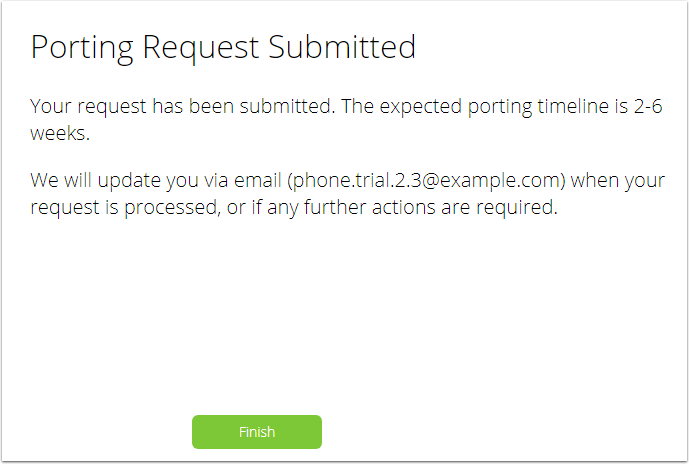
- Your porting request has been submitted! You will receive a response from ServiceM8 within 2-6 weeks. Click Finish.
Remember to keep your number in service until you hear the porting request was completed successfully!