

Reports
Days to Payment in the Business Dashboard Report
Learn about days to Payment in the Business Dashboard Report in ServiceM8.
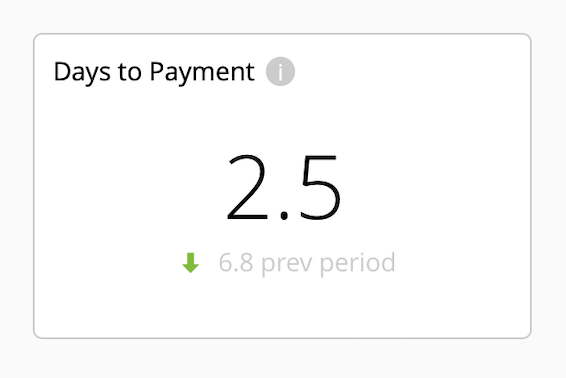
Your Days to Payment in the Business Dashboard is the average number of days from job completion to full payment, for completed, fully paid jobs created during the selected reporting period.
The smaller figure below is the same average for jobs created during the immediately preceding period of equal length. The arrow shows whether the current average is higher or lower.
Average Days to Payment is therefore an indicator of how long it takes your clients to pay you, which directly impacts your cash flow. There are various ServiceM8 features and best practices which can help your business get paid faster and maintain healthy cash flow:
Invoice Fast and Make Payment Easy
The faster you invoice clients, the faster you can get paid. This is why ServiceM8 enables and promotes a workflow of finalising jobs, invoicing and accepting payment on site, wherever possible. This avoids further spent on administration, and is great for cash flow.
Don’t let the process of invoicing clients and getting paid drag out — it impacts your cash flow and costs you labour and time.
Be proactive and ready to accept payment. Create a Stripe account and integrate it with ServiceM8 so your team can accept card payments on site, directly through the app. Clients can also click links in your invoice emails and PDF’s to pay their invoice online through a convenient card payment portal.
Learn more about accepting card payments with Stripe and ServiceM8.
Keep Invoice Payment Terms Short
Avoid setting long default payment terms for how your invoice payment due dates are calculated — no more than 7 days if possible, which provides plenty of time for clients to arrange and process payment.
Review your default payment terms in Settings > Preferences > Invoicing > Invoicing Terms.
Automate Payment Follow-Ups
A reality in business is that some customers are slow to pay, and following up payment for work you’ve already done is annoying, time-consuming, and easy to neglect due to other priorities.
Instead, use the Automation Add-on to set automatic email and/or text follow-ups to be sent to debtors with outstanding invoices, saving you time and automating this process to consistently keep the cash you’re owed coming in.
Learn more about automating payment follow-ups with the Automation Add-on.