Forms
Forms - Overview
Get an overview of forms in ServiceM8.
Completely separate to creating PDF Quotes and Invoices, Forms is a powerful tool for completing all kinds of paperwork, on the app, and build good processes for different jobs and tasks.
Completed forms convert to a PDF, auto-saved to the job diary where they can be emailed, or just kept safe as part of your job documentation.
Forms can be used for:
- Industry compliance or reporting
- Certification
- Testing reports
- Inspection reports
- Risk assessments e.g. JSA (Job Safety Analysis) or SWMS (Safe Work Method Statement)
- Health & safety procedures
- Incident reports
- Detailed pre & post-job checklists
- Progress reports
- Installation reports
- Authority to proceed
- Contract variations
- Toolbox meetings
- Almost anything!
Forms work on a template system, using a Microsoft Word template to turn your answers into a document. In the app, you then work the series of steps and questions:
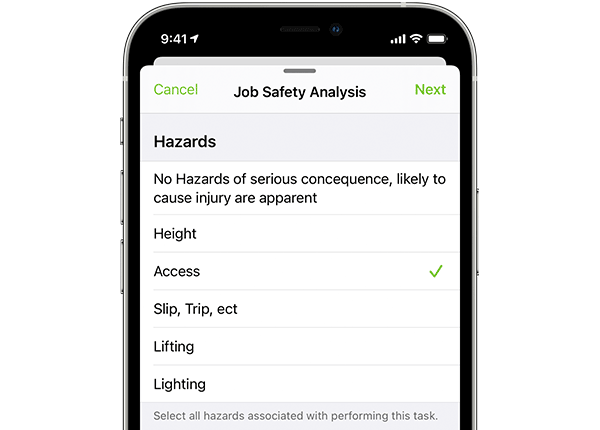
A variety of question types make this add-on flexible enough for almost any application. Form questions can require team members to:
- Pick from a multiple choice list
- Take a photo
- Collect a signature
- Type a response
- Select a date
- Enter a number
Once done your answers will populate the template to produce a professional PDF.
You can view all questions in a Form on one scrolling page or answer one question at a time in the ServiceM8 app.
The form creation features below require a plan that supports custom forms. For purchased forms, see what you can customise.
ServiceM8 Forms benefit a business in two ways:
1. They allow questions to be asked in an organised format with organised answers.
2. By incorporating those answers to a template you have a consistent presentation of those answers to your client or for your record.
This is the Form Editor
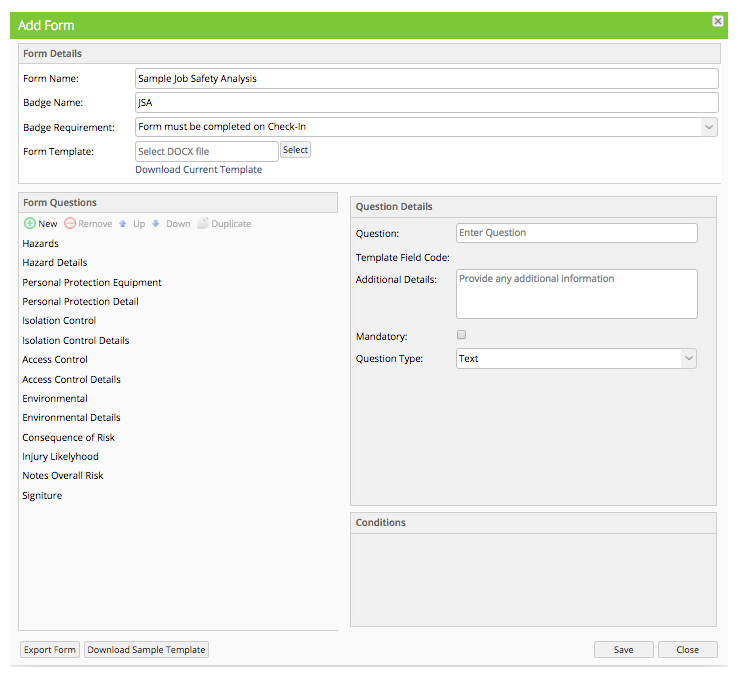
Forms are fully customizable to record the information that your business requires.
Form Details
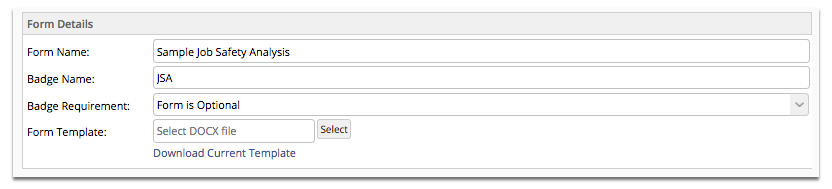
Form Name is the name which the form will be called.
Badge Name is what the badge will be called that links to this job. All new forms will have corresponding badges which can be attached to new jobs, which indicate that the particular form is to be completed. This makes it easy for you to tell your staff which form to complete on what job, and also a great reminder for your staff to complete it.
Badge Requirement allows you to set whether completion of the form is mandatory, or optional.
Form Template is the document template that the answers will be populated into. If you would like to make some changes with the current template you can download it from here by clicking “Download Current Template”.
Question Details
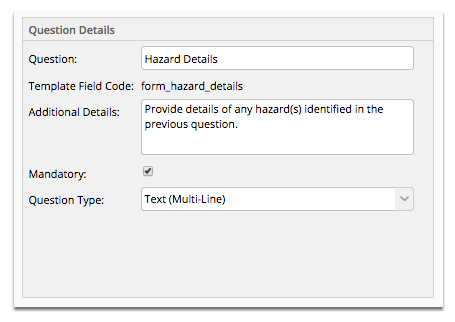
Question: this will be displayed on the app and tells the user what question to answer.
Template Field Code is the code placed in the template document i.e. the answer provided to the question will populate the template wherever the corresponding field code is.
Additional Details: This is displayed under the question on the app to assist understanding. It will not be sent to the template.
Mandatory: When ticked, this makes the question compulsory.
Question Type: This sets the kind of question you’re asking, and the type of answer which can be provided.
Question Types
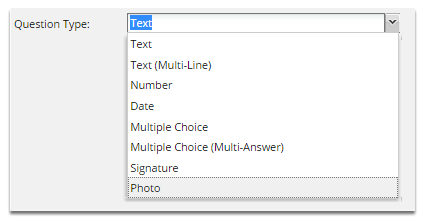
These are the available Question types or fields that you can use.
Text: Allows you to enter alphanumeric characters (all digits and printable characters).
Text (Multi-line): Allows you to enter multiple lines of text. Ideal for entering detailed information.
Number: Allows you to enter digits 0-9. Negative numbers and decimals allowed.
Date: Allows you to select a date, which can be selected with a calendar widget.
Multiple Choice: Allows you to select only one answer from a list of choices.
Multiple Choice (Multi-answer): Allows you to select more than one answer from a list of choices.
Signature: Allows you to capture a digital signature.
Photo: Allows for the display of an image in an allowed format in the field (JPEG or PNG).
Conditions - Skip Question If
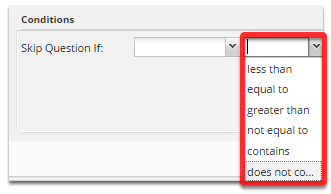

Conditions allow questions to be skipped based on the answer to a previous question. To learn more about Skip Question If conditions, check out this article.
Export Form File
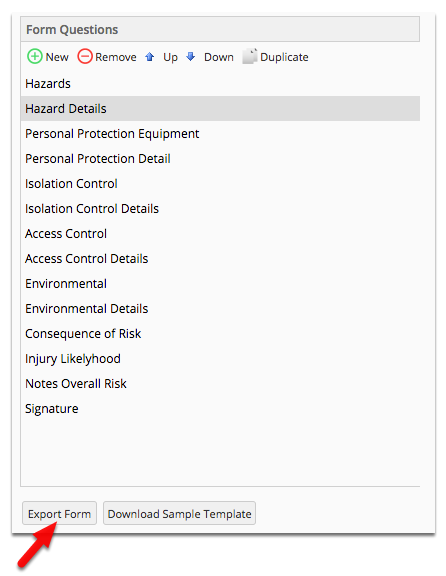
Click Export Form if you wish to make a backup of the form, or share it. The file will have an extension “.sm8f” which means it can only be viewed in the ServiceM8 Form Editor.
Automatic Form Templates
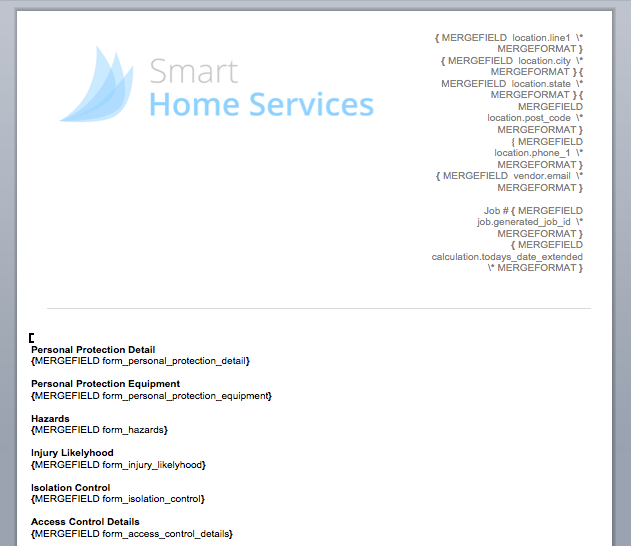
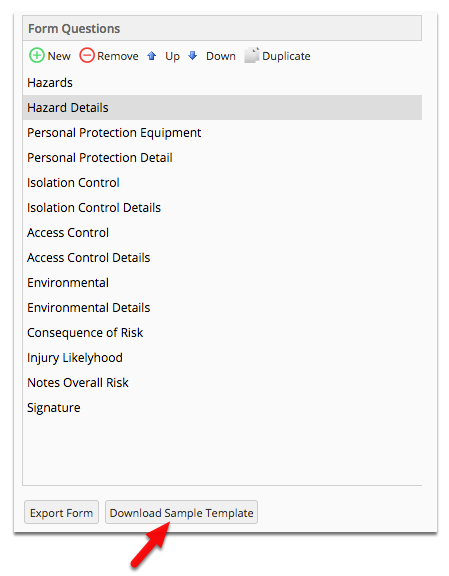
When you create questions in the Form Editor, you can then simply click ‘Download Sample Template’. This will generate a template document with all of your questions and the corresponding Template Field Code merge fields, which you can then customise with additional text, formatting and business branding.
Sample Automatic Form Template Created