

Automation
Booking Confirmation Automation
Learn how to book confirmation Automation in ServiceM8.
The Booking Confirmation automation allows you to send an email or SMS to customers to confirm their booking time as soon as you create the booking.
To use the Booking Confirmation automation, login to ServiceM8 online and go to Settings > Automations.
Find Booking Confirmation in the list of automations, and click the switch to enable it. Click edit if you would like to change the default settings. (If you don’t see Booking Confirmation in the list, click the “New Automation” button at the top right of the page, then choose “Booking Confirmation” from the list of available automation types).

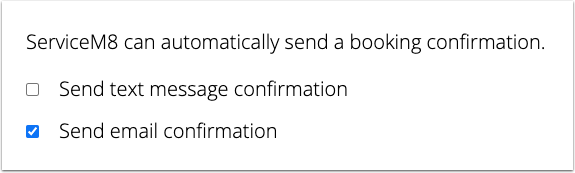
When editing the automation settings, you can choose how you would like to send booking confirmations.
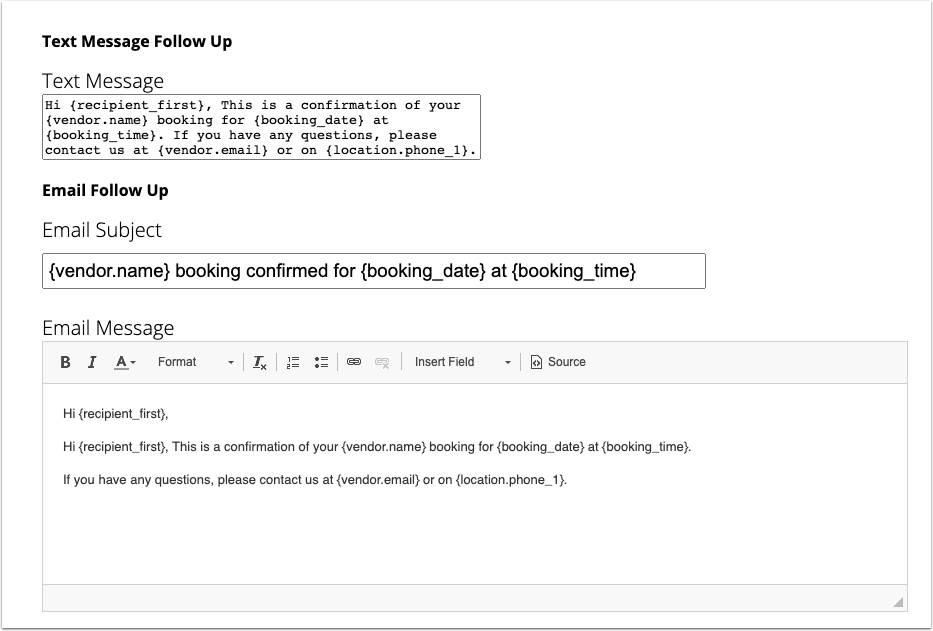
Customise the default message templates
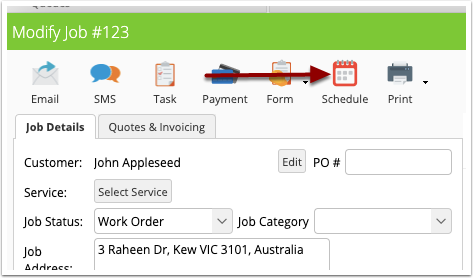
Once the automation is set up, Booking Confirmations emails and SMS messages can be sent by scheduling a job from the job card.
Open a job card and click the “Schedule” button.
Find an available booking time using the options provided, then tick the “Send Booking Confirmation” checkbox.
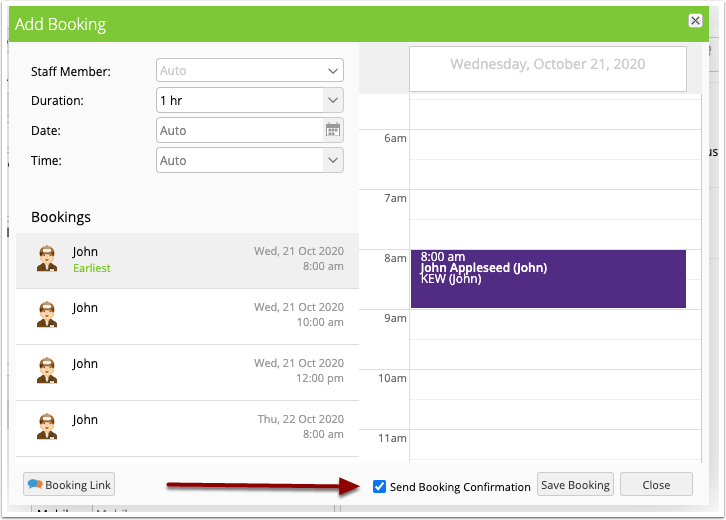
Click “Save Booking” to confirm. Your email and/or SMS will be sent within a few minutes and can be viewed in the job diary.
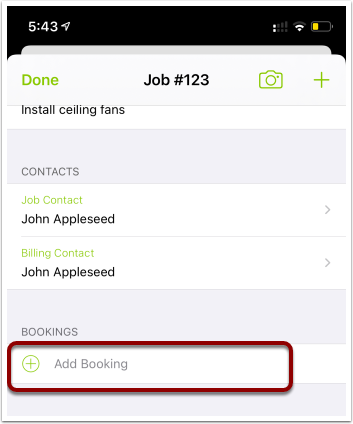
To send Booking Confirmations on the mobile app, schedule a job by tapping “Add Booking “from the job card.
Toggle the “Send Booking Confirmation” switch on.
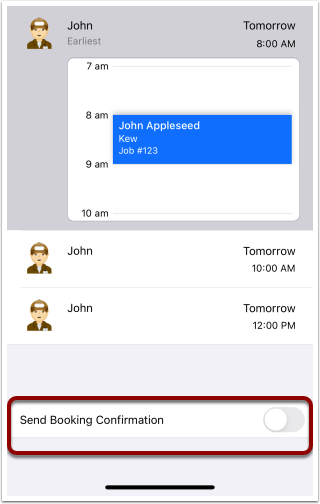
The booking confirmation will be sent shortly after the booking has been made.
ServiceM8 will remember this setting, so you’ll only have to tick/toggle it once to start sending booking confirmations every time you make a booking.
Booking confirmation will be sent to the Job contact.
NOTE: Only bookings made on the app and online via the New Booking window in the job card will trigger the booking confirmation automation. Dragging jobs onto the Schedule or Calendar will not send a booking confirmation.