Forms
How to show check mark in the form
Learn how to show check mark in the form in ServiceM8.
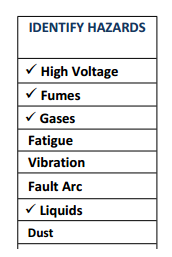
This lesson will show you how to create a simple check list using a multiple questions with multiple answer that will appear on the generated form. Please note this is for advanced users only, if your not comfortable with Word get in contact with a partner and they will be able to build the form for you.
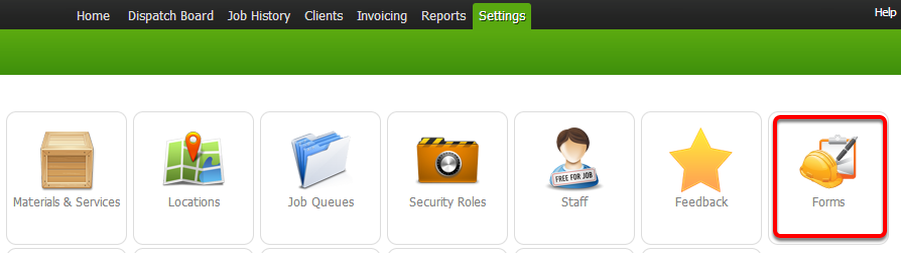
Click Forms under Settings menu
Click Add Form

Enter the form details

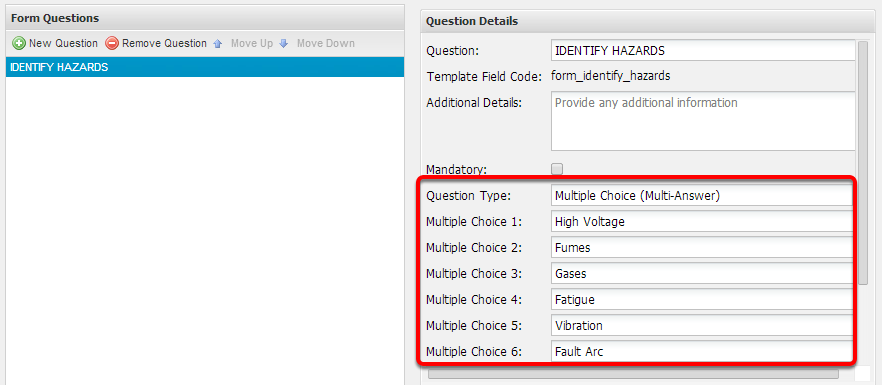
Create form questions and details
Once complete, click Save

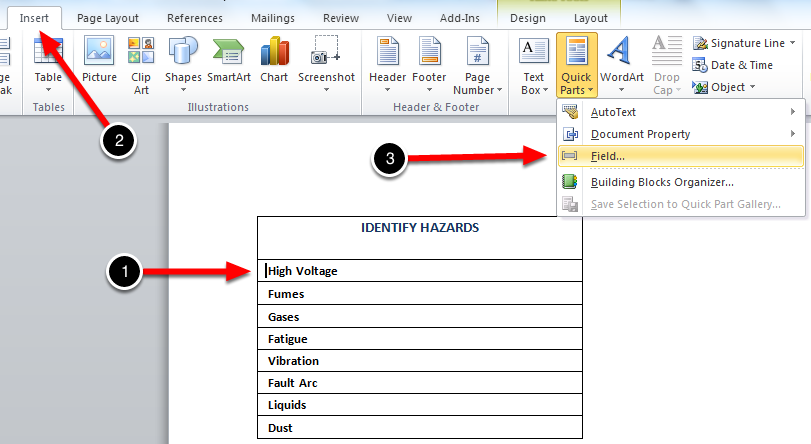
Using MS Word, open the document template that you want to link with the form

From the check list, select a row with the answer and click Insert > Quick Parts > Field
Select MergeField, enter the Field Name and click OK
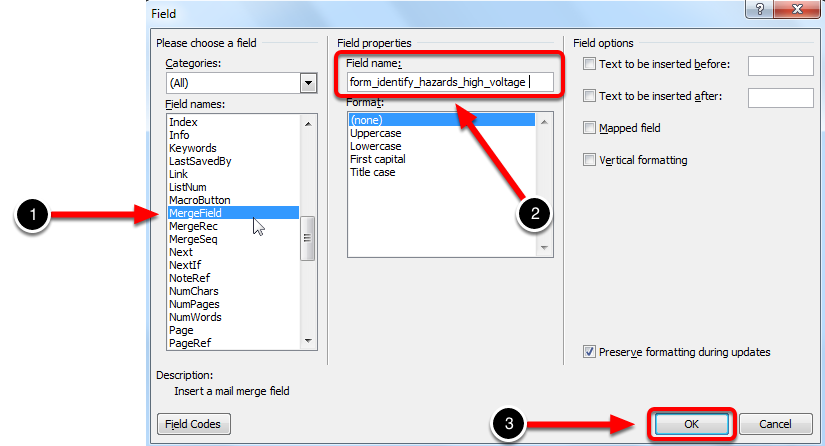
Please note that the field name used is the combination of the form’s template field code and multiple choice’s answer.
For instance, the “form_identify_hazards” is the form template field code and “High Voltage” is one of the answers.
Use this format when entering the field name, make sure all spaces are replaced with a ’_’: form_(Question Field)_(Answer name)
Select the MergeField that you just created

With the MergeField selected, Press Ctrl + F9 to initiate IF field statement

Note: After pressing Ctrl+F9 it will insert a special open and close curly brackets (normal curly brackets will NOT work) then you can start using the IF conditional statement. If you are on Mac, simply press Command + Fn + F9 or Command + F9 to enable the IF statement feature.
The IF field compares two values and then inserts the text appropriate to the result of the comparison. When using a multi-choice multi answer field, ServiceM8 returns a value of ‘Yes’ when that corresponding answer is selected. So the IF statement in this case simple is saying, if the field = yes then put a tick.
Enter the IF statement syntax properly as shown below

Follow the same steps to the next questions and answer field codes. When you are finished save the document template and upload it into your ServiceM8 account.
IF statement: {IF “Form Field”=“Yes” “Tick” ""}
TIP: To produce a tick or check mark in Word (Mac version) simply go to Insert > Symbol Browser, and select Check Marks.
In Mac, click the Keyboard icon on your top menu bar, click Show Emoji & Symbols then in the Search bar type in “check”. Or press and hold down Option Key and press V key.

If you are on Windows, press and hold ALT key and type 0252 in Numeric keypad. Or please check out this link.
That’s it! You should be able to show the tick or check mark in the forms’ output