

Knowledge
How to use Knowledge tagging
Learn how to use Knowledge tagging in ServiceM8.
This tutorial will show you how to use tags with the Knowledge Add-on. Tags let you make Knowledge which relates to a specific Material, Client or Service display in relevant job cards, which saves time in searching the Knowledge database, and ensures it won’t be missed.
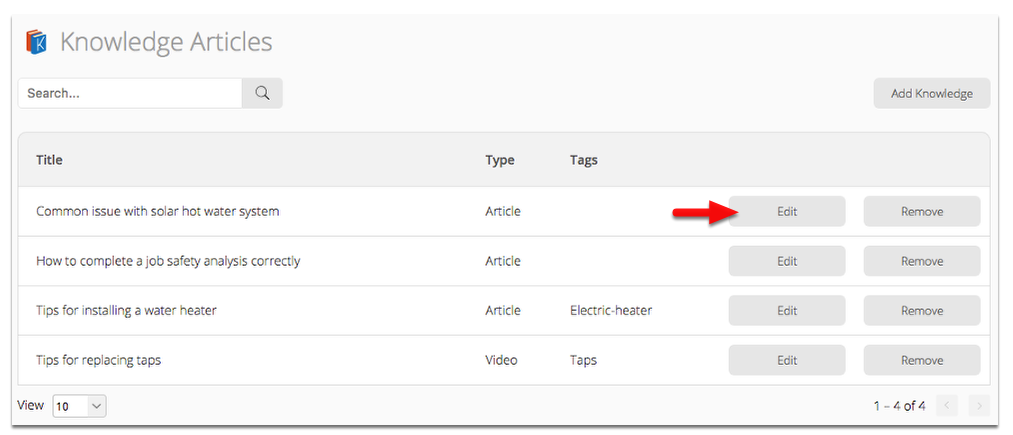
In the Knowledge Articles page, select an article to add a tag, then click Edit
Enter the Item Name, Item Number, Client Name, or Service Name in the Tags field and click Save Changes
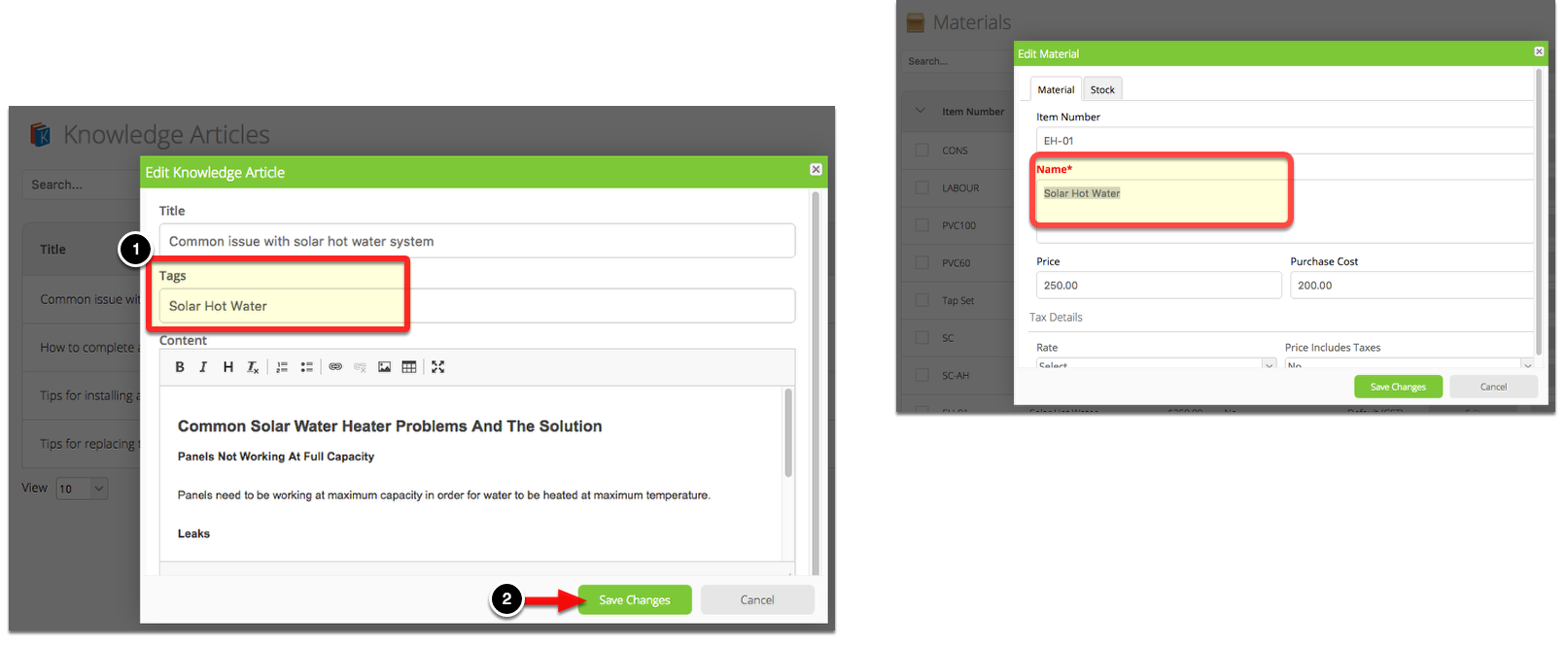
With Knowledge tagging, the tag’s text must be an exact match of the Item Name, Item Number, Client Name, or Service Name. Use a comma if you would like to tag another Material, Client or Service. Ensure there are no commas within the tag itself.
NOTE: ‘Service’ and ‘Service Name’ refers to Services created via the Services Add-on.
Tagging a Client’s name

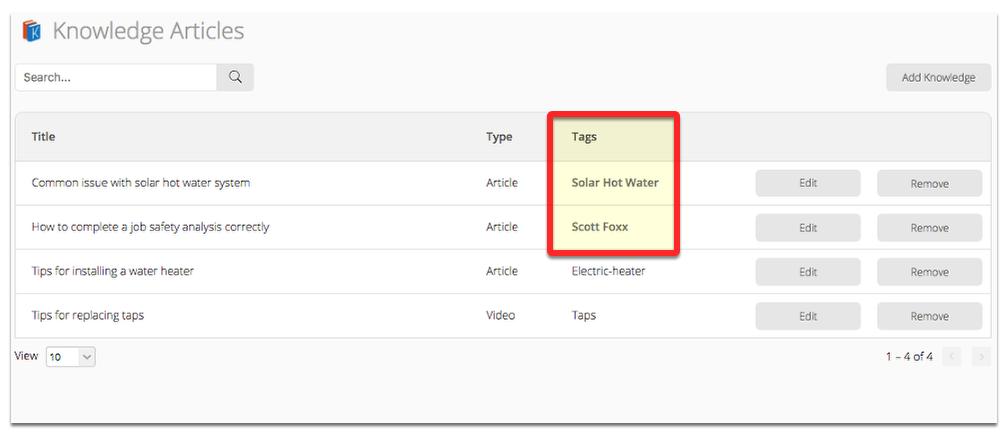
Once successful you will see tags in bold text
Now, open the job where you tagged a Client, Material or Service, and the Knowledge article will be available there!
