

Add-ons FAQ
How to markup and fill in PDFs with PDF Fill-in
Learn how to markup and fill in PDFs with PDF Fill-in for ServiceM8.
On iPhone and iPad, you can fill in or mark up PDFs in ServiceM8: open a PDF form in the Diary to complete and sign it, or mark up a PDF plan or diagram with shapes and annotations.
To modify a PDF, you will need to open it from the jobs Diary in the ServiceM8 app. This might be via:
- A client emailing you the PDF as an attachment, and opening it from the email in the ServiceM8 jobs Diary.
- Uploading the PDF from your device to the relevant job card e.g. if you using the Document Scanner to scan a paper form into a jobs Diary as a PDF.
- Uploading the PDF to the jobs Diary on your computer (click the attachment icon at the top of the Diary to browse and attach the file, or simply drag and drop the PDF into the job card)
Once you’ve opened the PDF in ServiceM8, tap the markup icon, then use the tools to add text, signatures & shapes, or freehand draw:
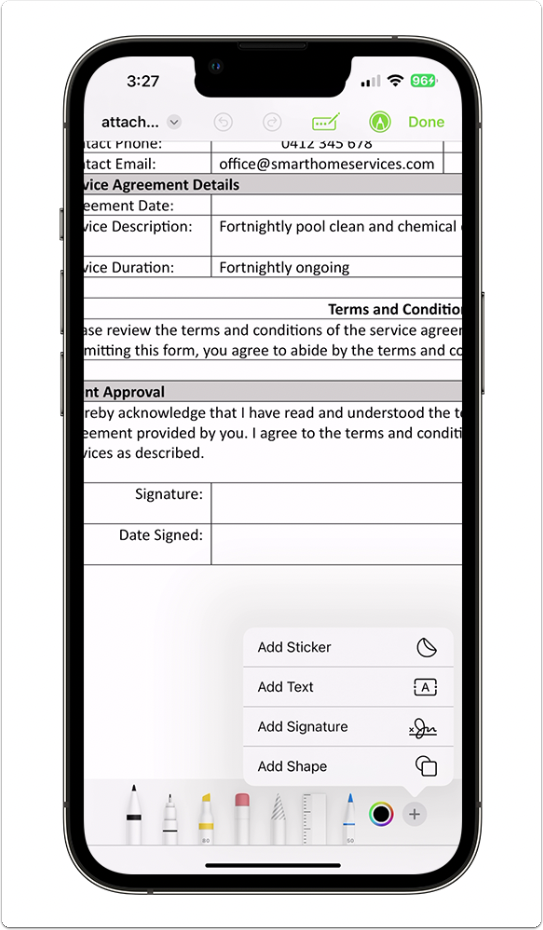
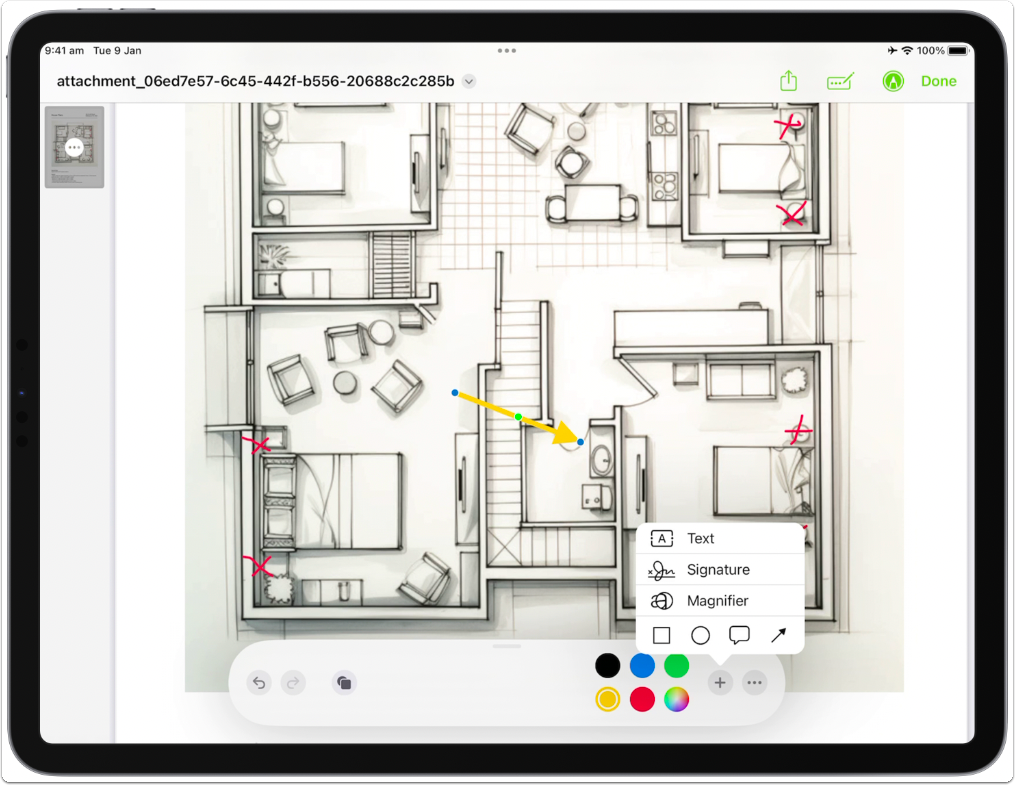
When you’re finished, tap Done and the modified version will be saved as a new/separate PDF in the Diary.