

Client Sites
Client Sites Overview
Get an overview of client Sites in ServiceM8.
The Client Sites add-on is designed to manage multiple sites under a single head office. This article explains what it is, how it works, and when you should use it.
To activate the Client Sites add-on, log in to your account and click the following link: https://go.servicem8.com/help_me/ActivateClientSitesAddon
What is the Client Sites add-on?
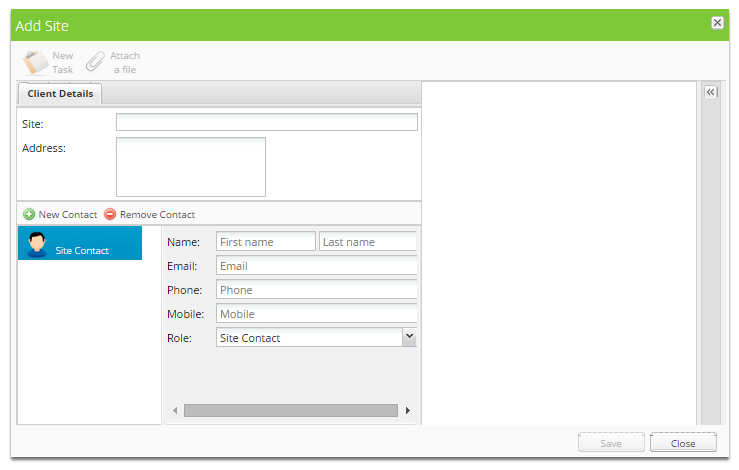

The Client Sites add-on is designed to manage multiple sites under a single head office. Invoices for all work done at client sites are sent to your accounting package under the head office name, and you can generate statements by site.
With Client Sites, you can:
- Invoice a head office for work at multiple sites
- Store site-specific notes, badges, photos and documents against a site
- Store head office-specific notes, badges, photos and documents against all sites for that head office (for example, specific requirements when dealing with McDonald’s locations)
How does it work?
Sites behave exactly as if they were a regular client in ServiceM8, but with three main differences:
- Sites do not have a billing contact. The billing contact will always be the billing contact of the head office.
- Quote and invoice templates will use the head office details for company name and billing contact details.
- Invoices for all sites will be sent to your accounting package under the head offices name.
Sites can either be individually created under a existing client, or existing clients can be converted to sites of another existing client.
When should I add a client as a site of a head office?
When all work completed on the site is paid for by a head office.
When should I keep the site as a separate client?
When you invoice the site for the work, not the head office.
What should I enter in as the site name?
Name the site in a way that makes it easy for you and your staff to identify the site. Some examples are:
- 10 street name, suburb
- 10 street name, suburb (head office name)
- Site nickname
Can I create a new site for a head office from a new job?
No, it’s not possible to create a site from a job card. Client sites are managed from the Clients page of the Online Dashboard.