Recurring Jobs and Reminders
How do I use Recurring Jobs with the Services Add-on?
Find out how to use Recurring Jobs with the Services Add-on in ServiceM8.
The Recurring Jobs card is much more powerful and intelligent when used in conjunction with the Services Add-on.
Upon applying a ‘Service’ to a new Recurring Job (instead of a job template), the duration of the job and which staff are capable of performing the service are known. ServiceM8 can then automatically schedule/allocate the time and staff member, taking into account things like staff schedules, and route and schedule optimisation.
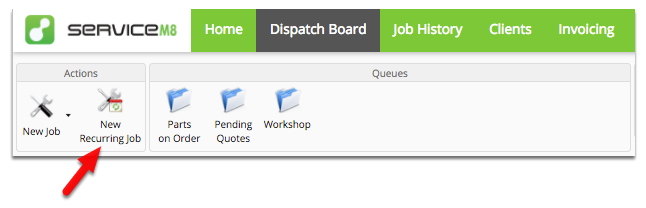
In the Dispatch Board, click New Recurring Job
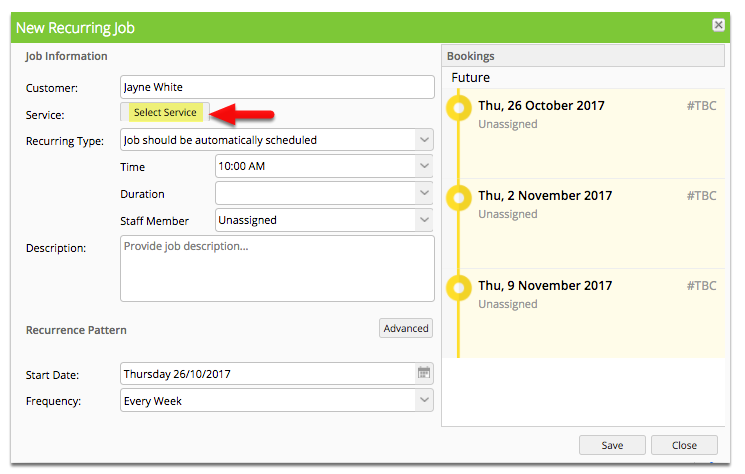
Click Select Service
Choose which Service to use for the Recurring Job
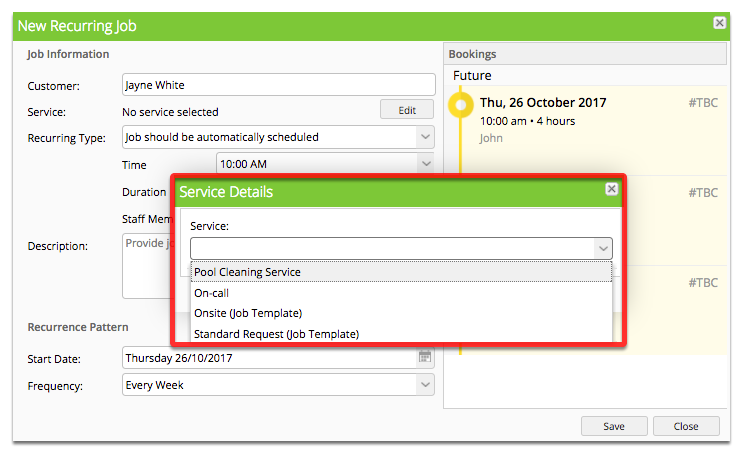
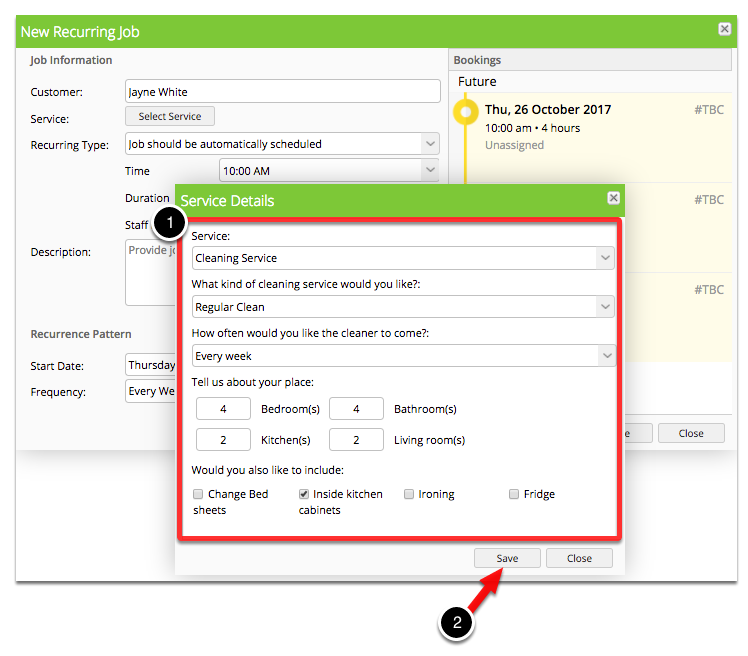
Fill in the Service Details and click Save once done
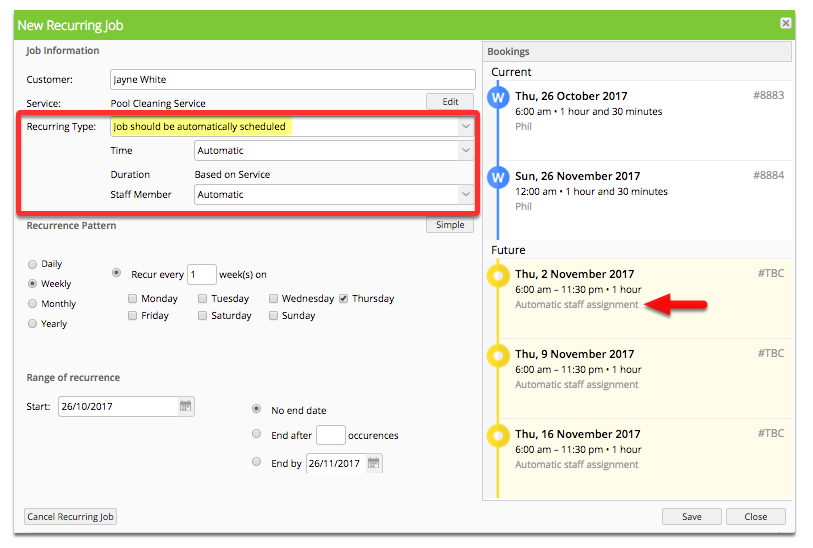
Set your preferences around how the Recurring Job will be scheduled
Recurring Type: Automatically scheduled
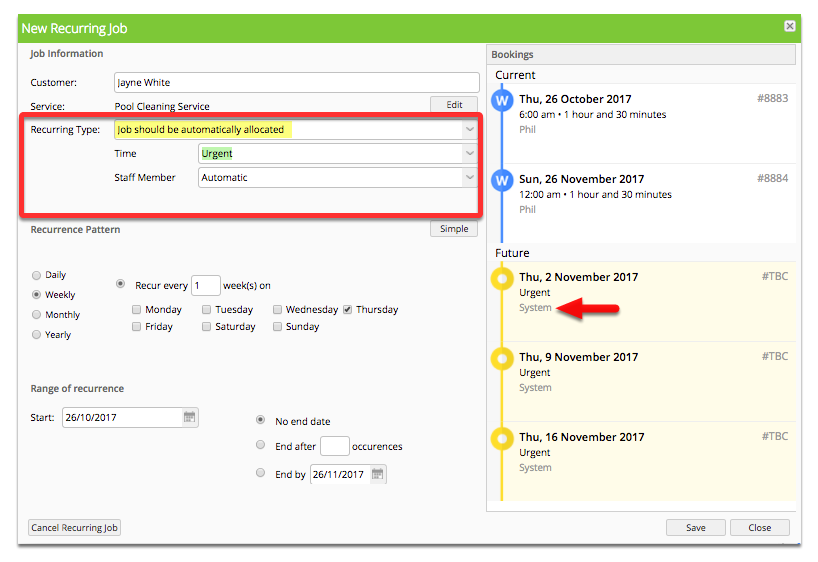
Recurring type: automatically allocated
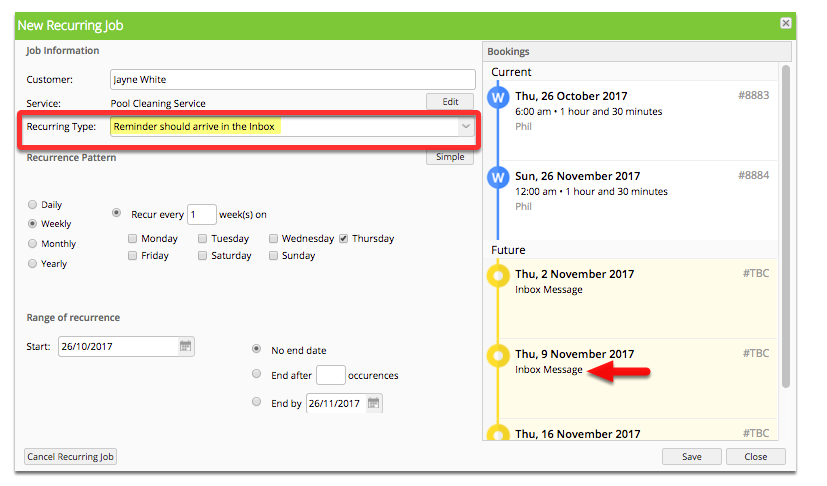
Recurring Type: Reminder should arrive in the Inbox
Check out this list of articles for more information on how Recurring Jobs work.
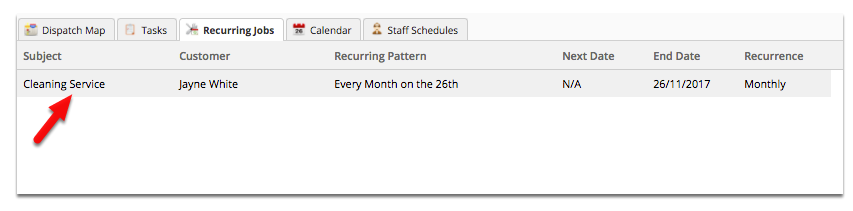
Recurring jobs can be viewed/modified directly from the Dispatch board