

Office Agent
How to use the Office Agent task library
Choose an Office Agent template, add it to your tasks and review its first run.
Use the Task Library to add a recurring workflow with prepared instructions. Task management requires the Business Owner security role.
How to use the Task Library
-
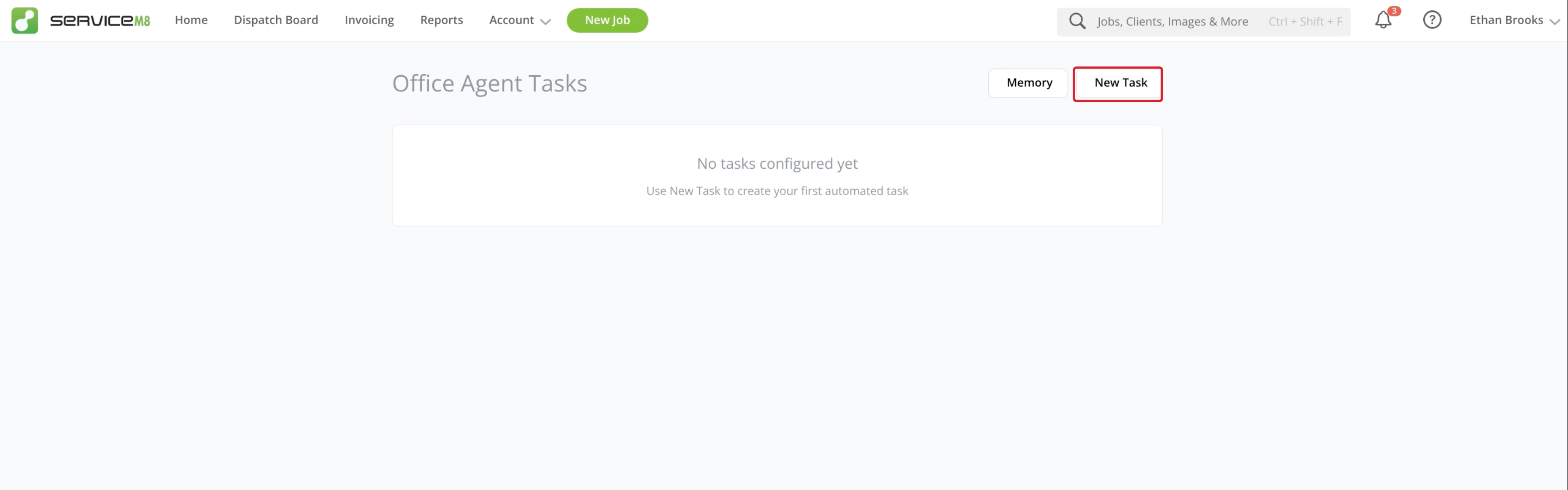
In the Online Dashboard, open Office Agent from Home or the Account dropdown menu, then click New Task to open the Task Library.
-
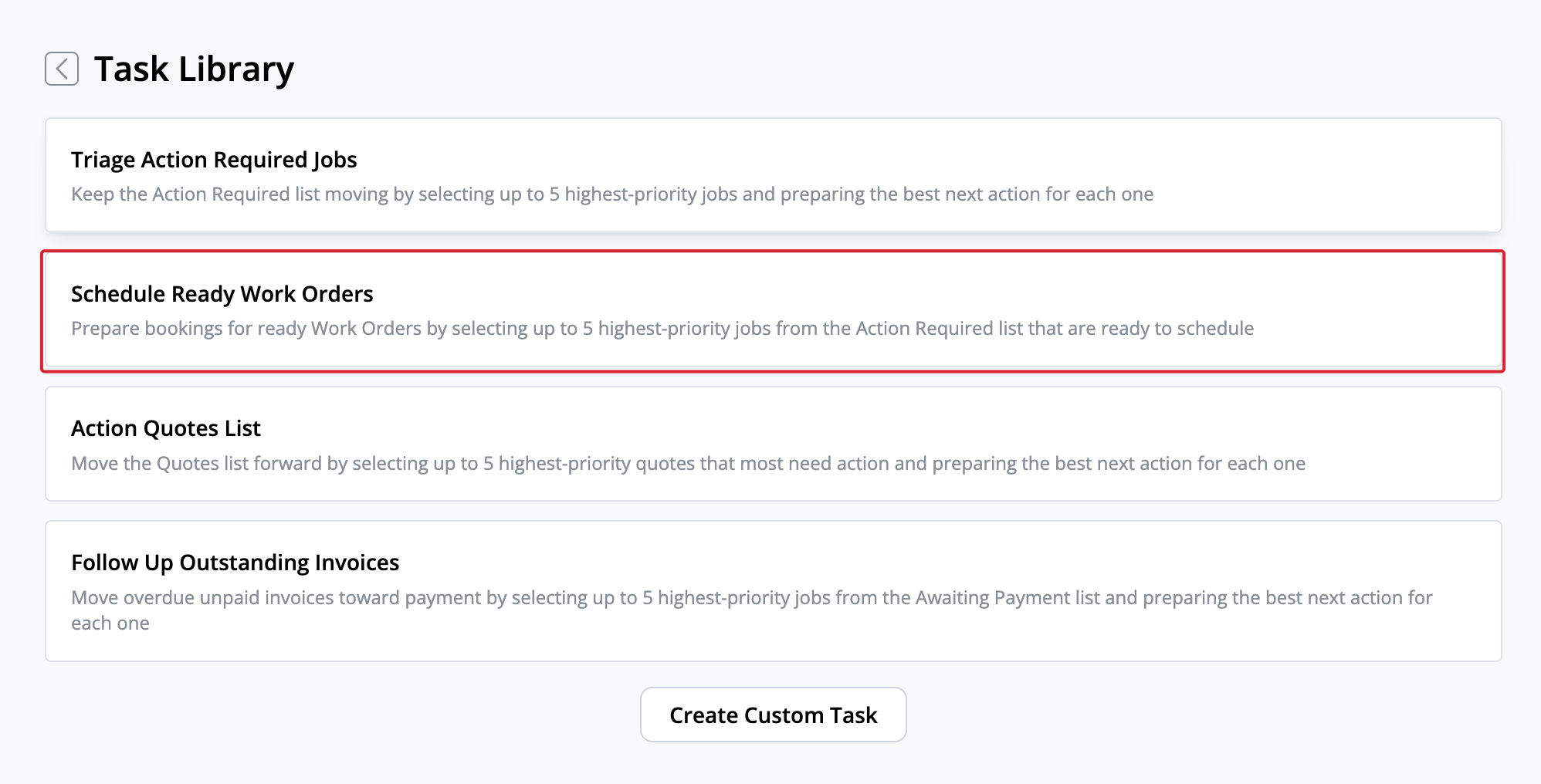
Select the template you want to use.
-
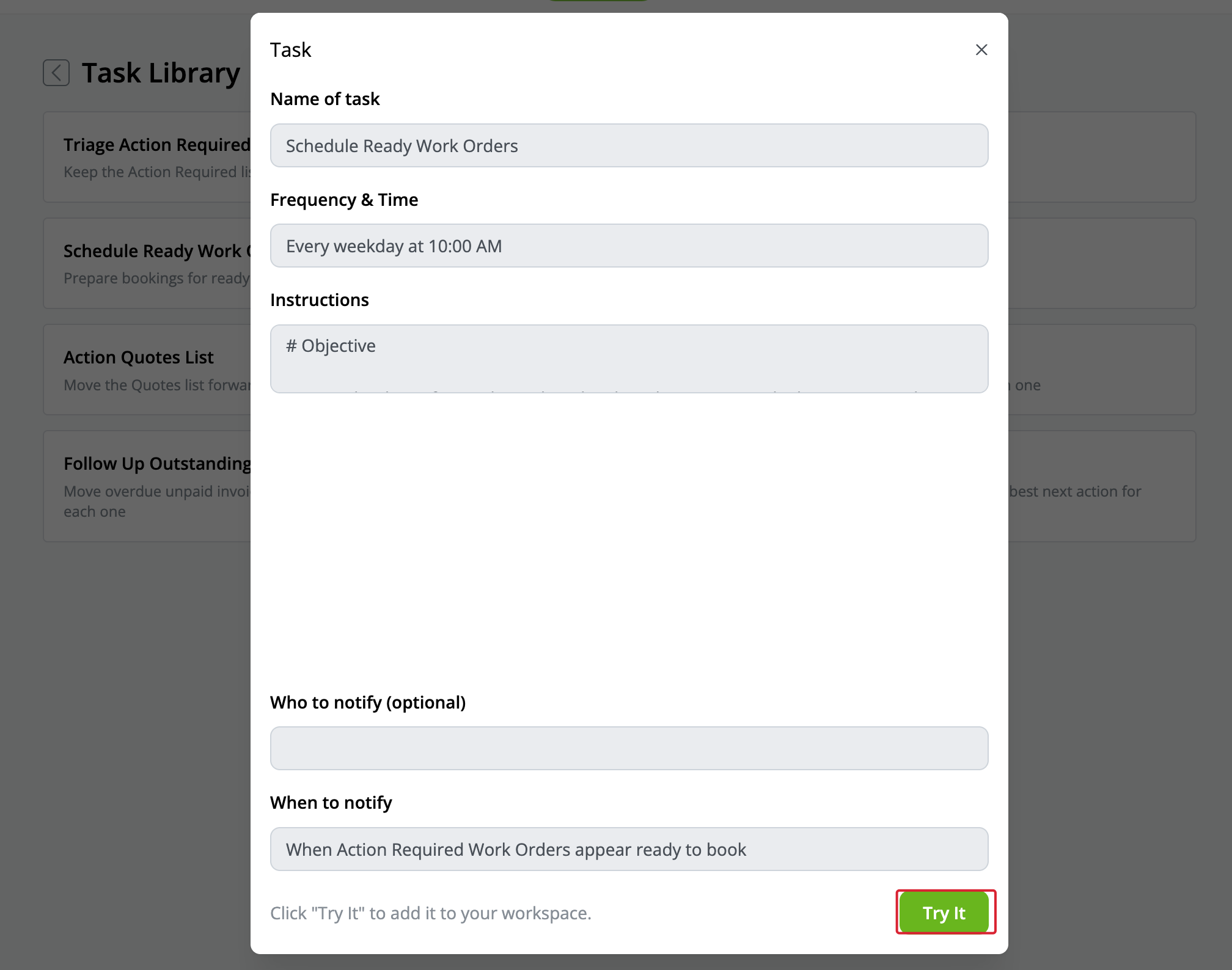
Review its schedule, instructions and notification condition, then click Try It.
-
The task is added and enabled. Check its schedule, then click Run Now when you are ready to review its first run.
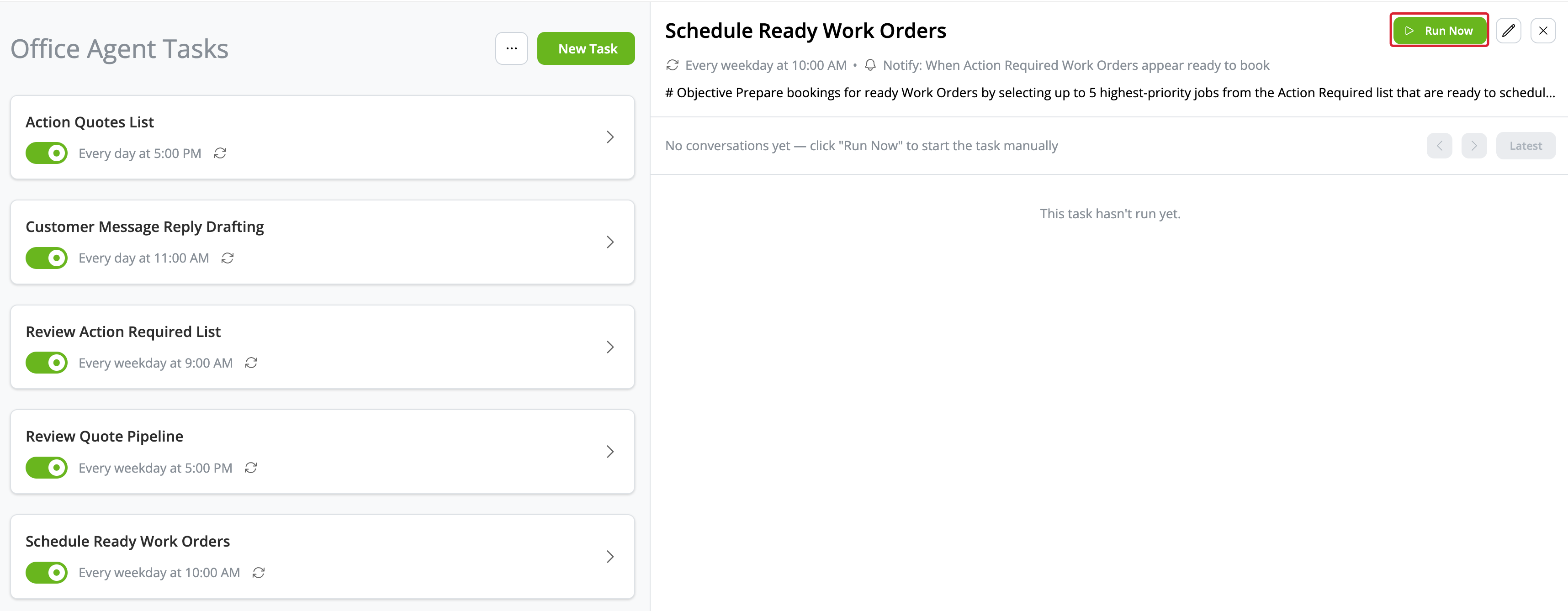
Templates you have already added are removed from the available Library list.
What to review before you run a library task
Select the task and click the pencil button to review its schedule, tools and notifications. Choose Who to notify if you want someone notified after a run, then click Save.
Review each proposed action before approving it. See How to create and manage Office Agent tasks for running tasks, approvals and feedback.
How to customise a library task
You can adjust the task’s schedule, tools and notifications. Library instructions are read-only. To use different instructions, choose Create Custom Task from the Library instead.