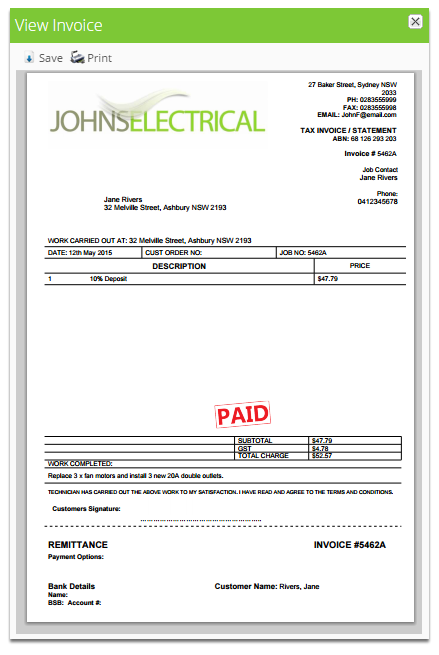
Partial Invoicing
Can I use partial invoicing to issue a deposit receipt?
Find out whether you can use partial invoicing to issue a deposit receipt in ServiceM8.
Yes, this lesson will show how to issue a deposit receipt.
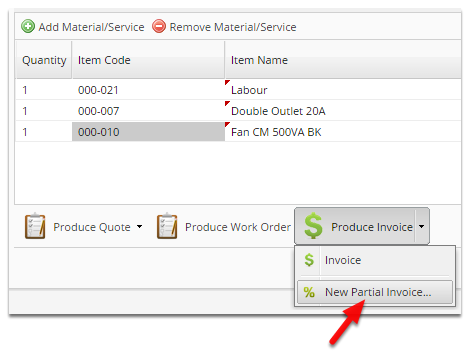
Click New Partial invoice
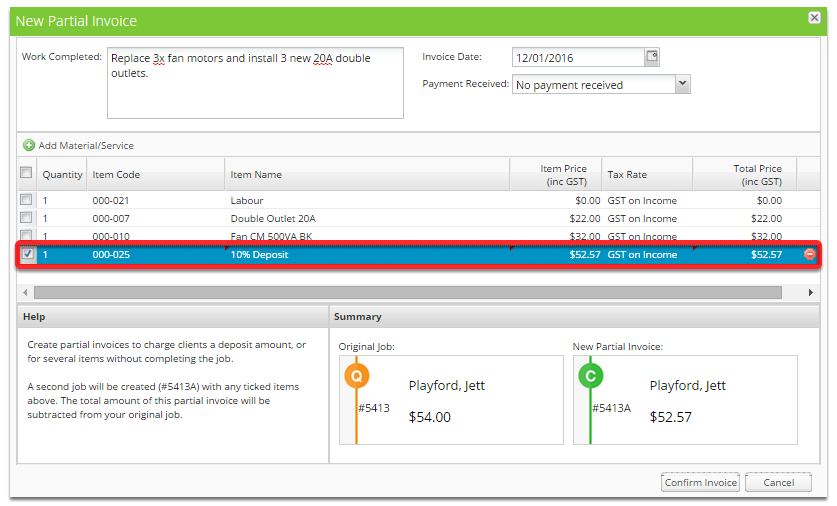
Add a deposit item
Click Payment Received and select a Full Payment type
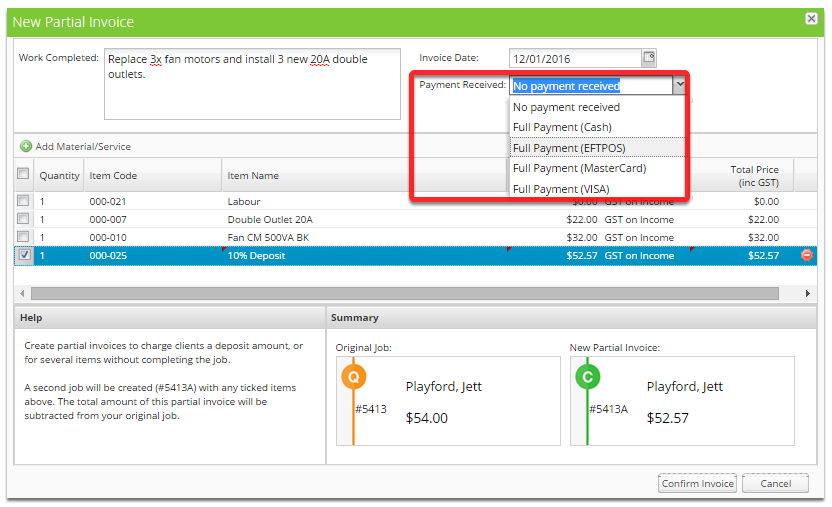
Click Confirm Invoice
That’s it! The receipt is now ready to send to your customer