Automation
How to turn off an Automation for a Client
Learn how to turn off an Automation for a Client in ServiceM8.
The Automation Add-on is incredibly powerful for automating your customer service, winning work & helping jobs run smoothly. But, some automations don’t suit every client — in these cases, you can simply deactivate the specific Automation from sending to that particular client, from the Diary of a job card.
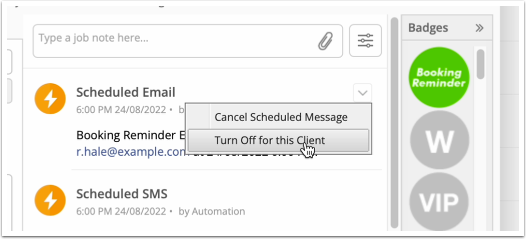
To cancel a specific Automation from sending to a specific client, open a job for the client and click the drop-down for the scheduled message in the Diary, then ‘Turn Off for this Client’.
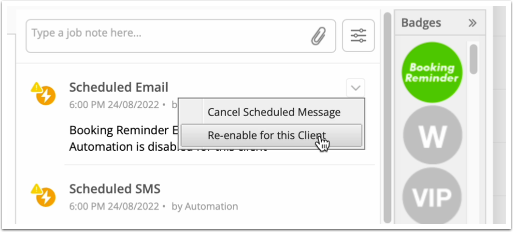
If things change, you can open the same drop-down and click ‘Re-enable for this Client’.