About add-ons
What is the Location Insights add-on?
Understand what the Location Insights add-on is and how it works in ServiceM8.
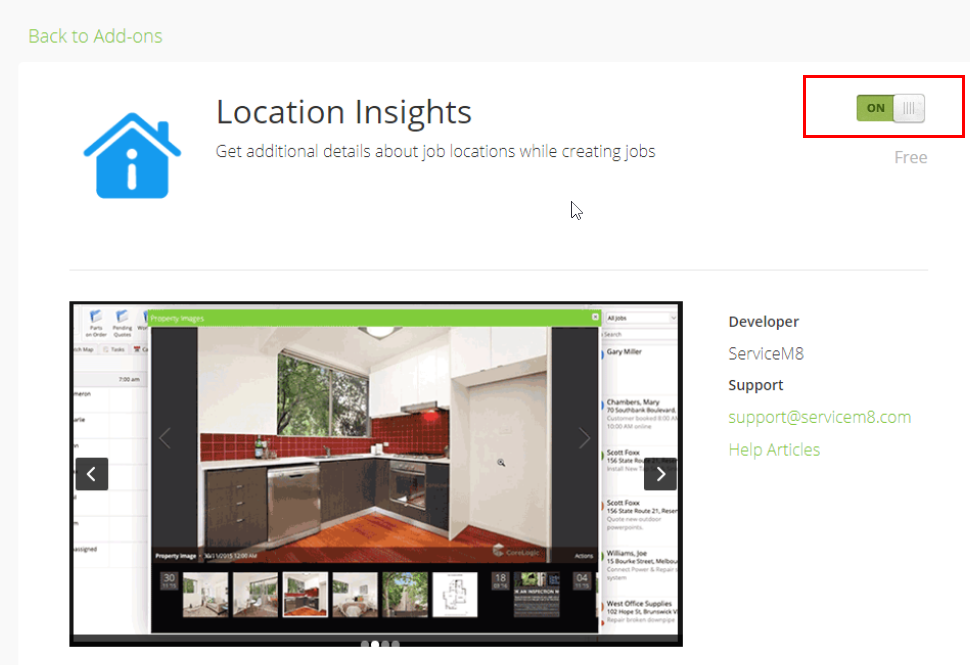
Location Insights is a free ServiceM8 add-on that can help you increase your scheduling efficiency and get a better understanding of the job site before you arrive. Location Insights provides information about a job address obtained from a variety of online databases, as well as any previous jobs documented within ServiceM8 at the same address.
NOTE: This feature is currently only available in New Zealand and Australia. To learn how to turn on the Location Insights add-on, jump to this section.
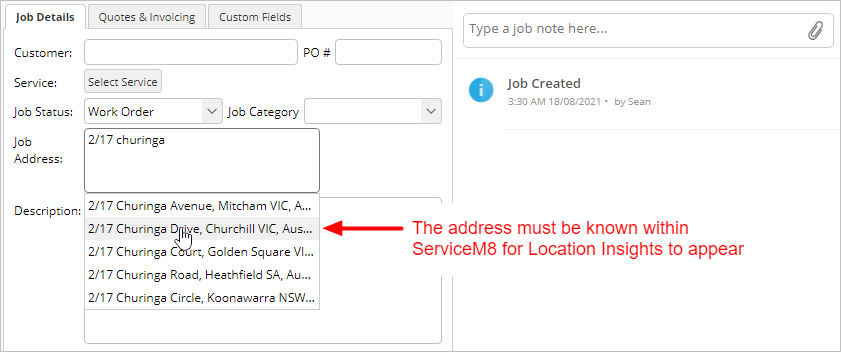
Location Insights appear when you use the Online Dashboard to enter a job address on a new job card, provided the address is available from the dropdown list.
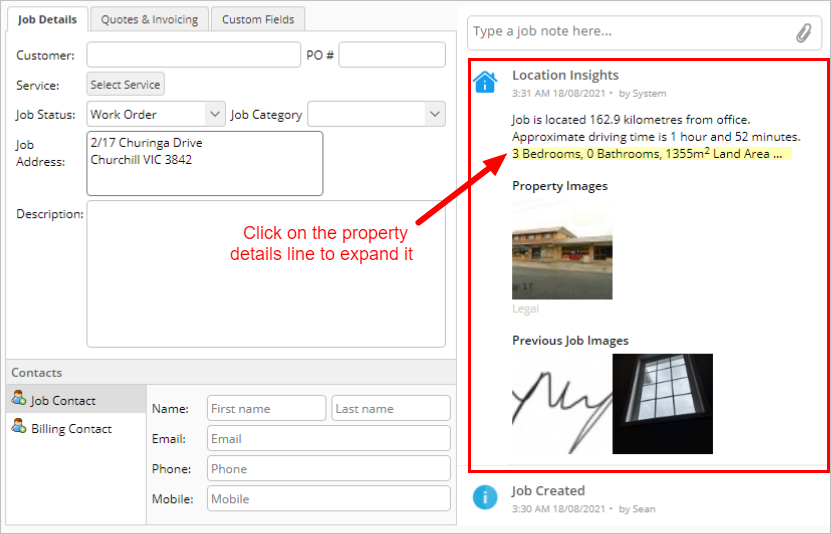

Location Insights will provide:
- The distance from the office to the job address
- The approximate driving time from the office to the job address
If the property has been rented or sold, Location Insights may also provide:
- Details about the property including:
- # of bedrooms
- # of bathrooms
- Land area
- Floor area
- Roof material (industry specific)
- Wall material (industry specific)
- Year built
- Type of property
- Any available images of the property, including any available floor plans (all images are dated)
If you have previously done any work at the same address, Location Insights will also display:
- Any previous job photos related to the same address (regardless of customer name)
NOTE: If you create a job for an existing customer, you will need to edit the Job Address field to trigger Location Insights. For example, remove the last digit of the postal code, and then re-select the address from the dropdown list.
Turning on the Location Insights add-on
The Location Insights add-on is only available in Australia and New Zealand. To turn on Location Insights:
- From your ServiceM8 Online Dashboard, click Settings.


- Click ServiceM8 Add-ons.

- Search for, or scroll to, Location Insights and click Learn More.

- Click the button to toggle ON. You have now turned on Location Insights.