

Add-ons FAQ
How to use Live Activities
Learn how to use Live Activities in ServiceM8.
Live Activities with ServiceM8 let you see your job time at a glance, and get straight back to the job card you’re checked in to from anywhere on your iPhone/iPad with a single tap.
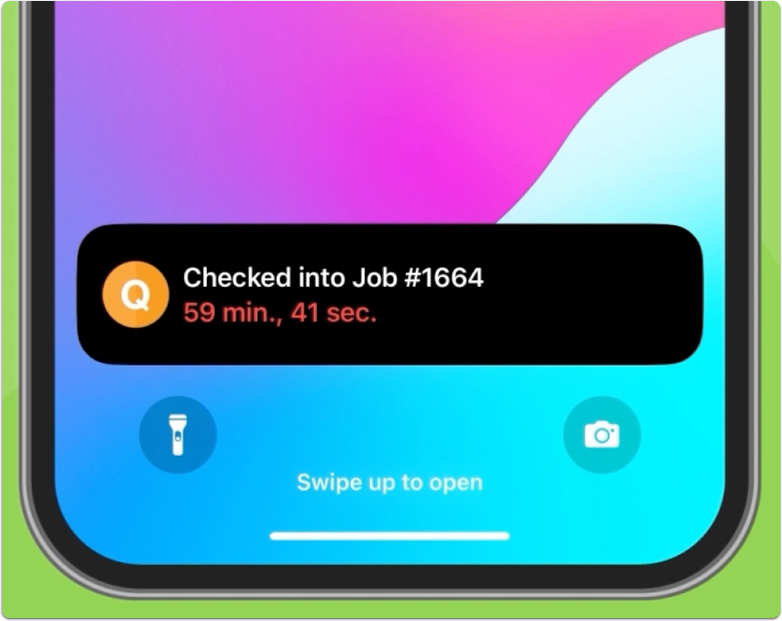
When you’re checked in to a job and lock your iPhone/iPad, you’ll see the job you’re checked in to on your Lock Screen, and how long you’ve been checked in. Tapping it will instantly open the job card in ServiceM8:
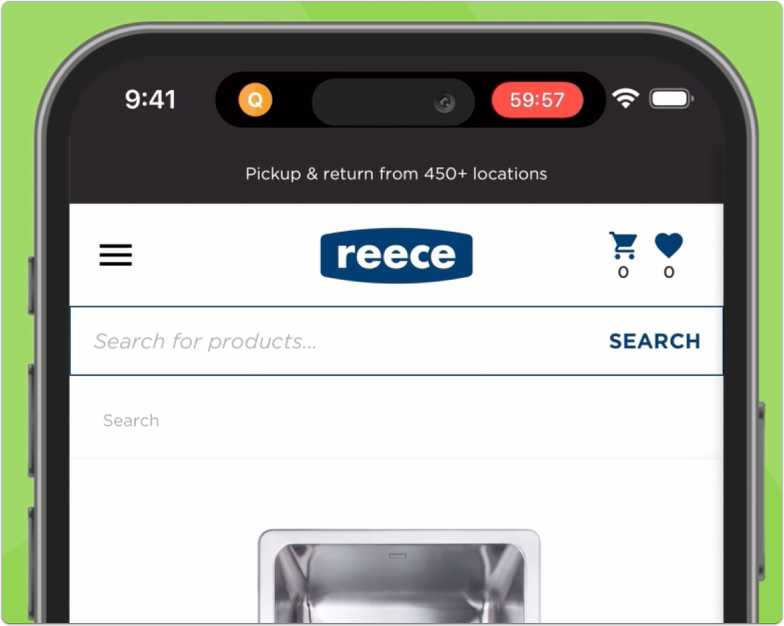
If you’re device supports Dynamic Island, you’ll see a compact version of this same information at the top of your device too:
You can tap & hold the Live Activity in your Dynamic Island to expand, for more information:
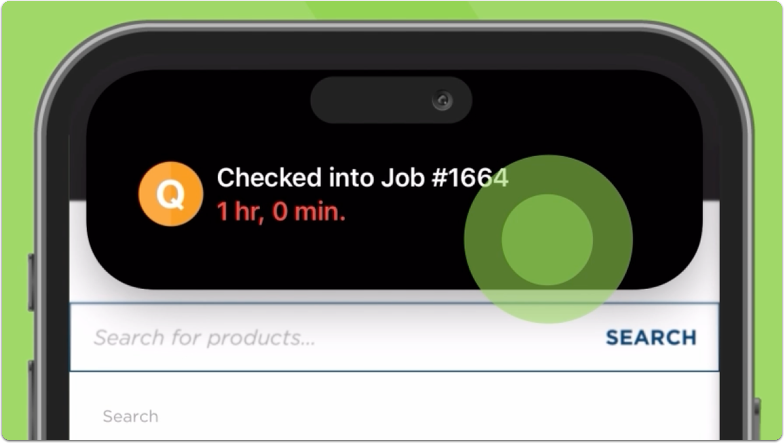
Or simply tap once to jump straight back to the job card in ServiceM8, from any other app.
NOTE: The Live Activity for a job you’re checked in to can only display on your Lock Screen (and Dynamic Island if applicable for your device) for a maximum of 12 hours.