The Job Diary is your permanent record of all activity on a job. To avoid unintentional deletions, content cannot be removed from the Job Diary using the ServiceM8 App. However, if you need to remove notes, attachments, photos or videos from a Job Diary, you can do so using the Online Dashboard.

To open the Job Diary from the Online Dashboard:

  1. Go to Dispatch Board.
click dispatch board
  1. Find and double-click the relevant job.
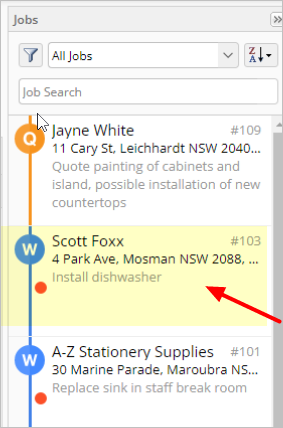
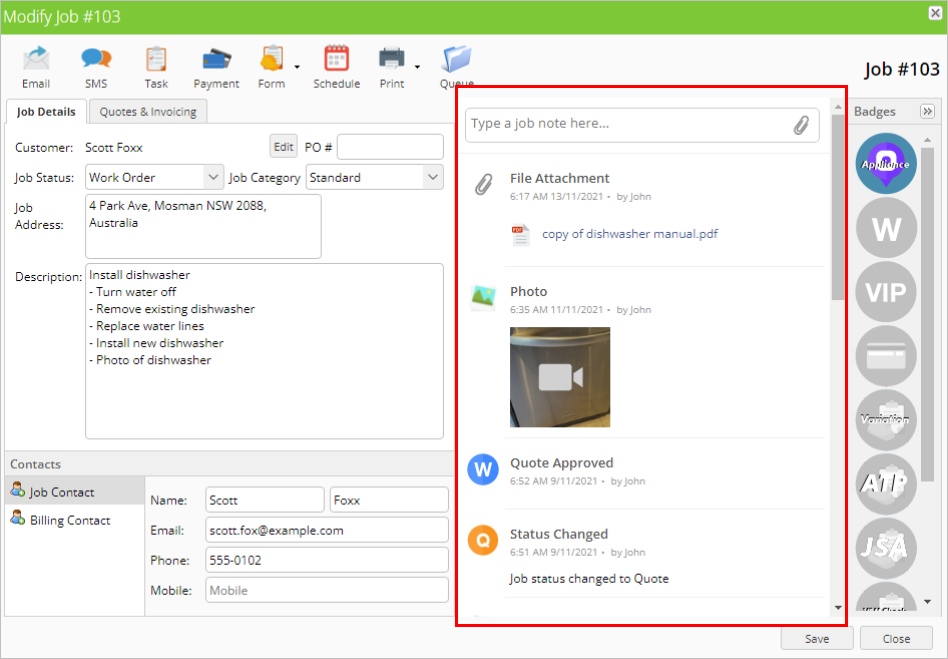
click a job The Job Diary is the right pane of the Job Details tab. You can remove notes, file attachments, photos, and videos from the Job Diary. highlight the job diary

To remove a note or file attachment:

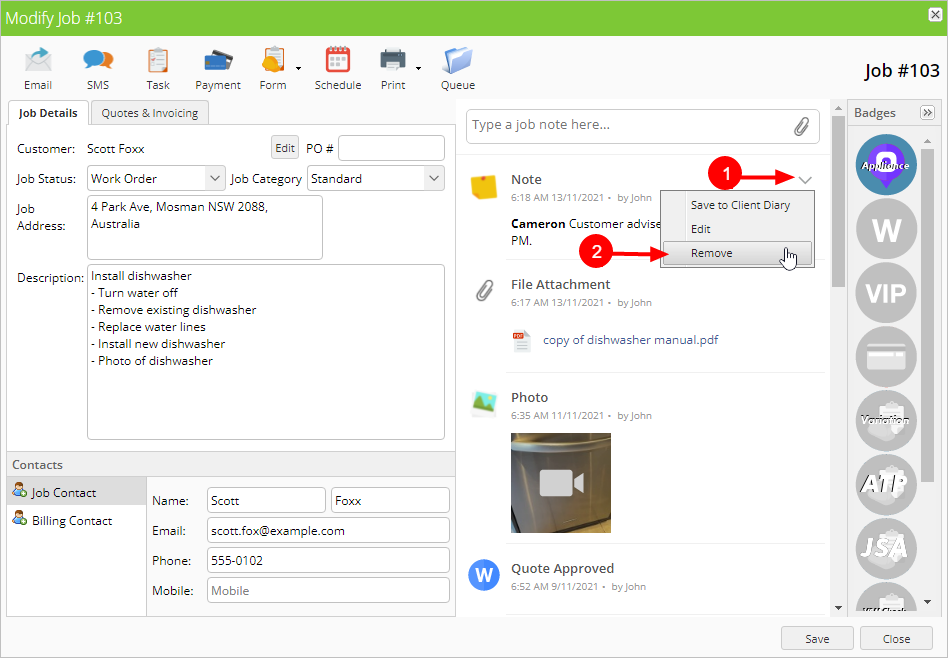
  1. Hover your mouse over the note or file you want to delete. Click the down arrow that appears.
  2. Click Remove.
hover and remove
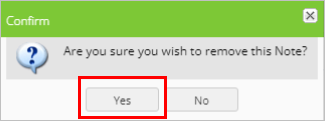
  1. Click Yes to confirm removal.
confirm removal

To remove a photo or video:

  1. Click the photo or video you want to delete.
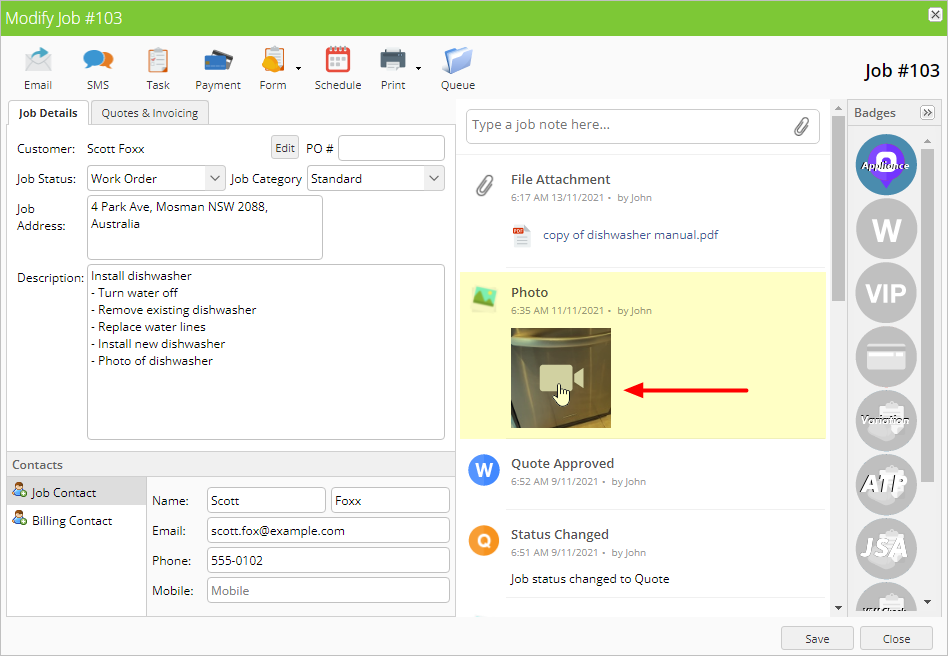
click on photo
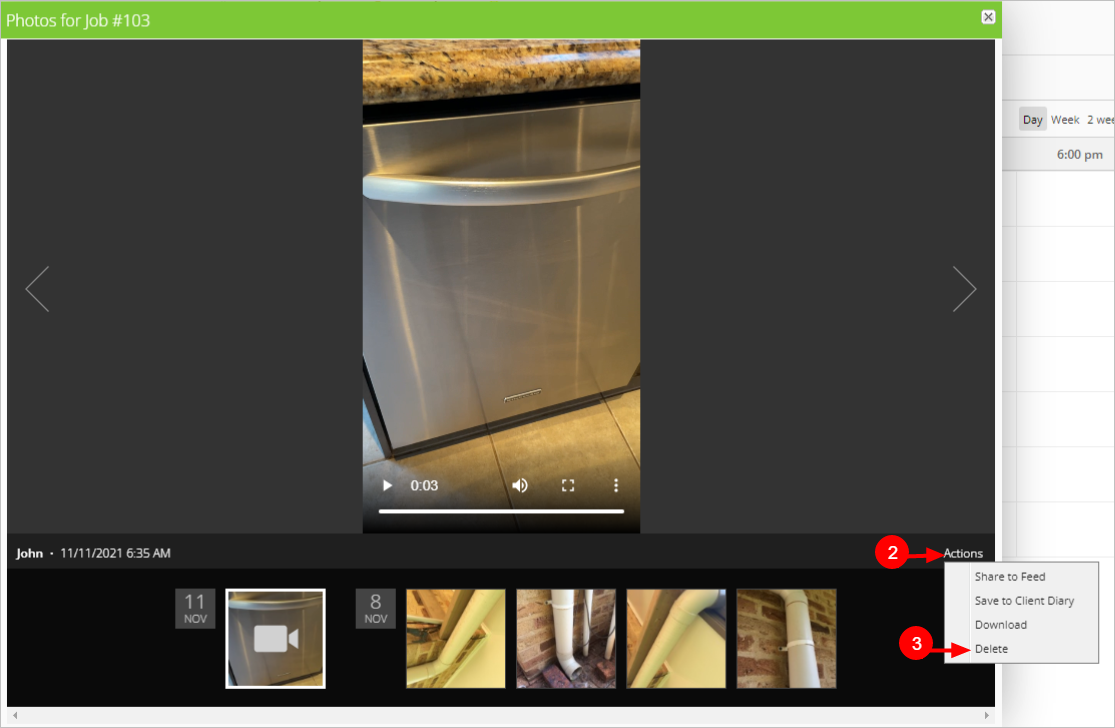
  1. Click Actions.
  2. Click Delete.
actions and delete
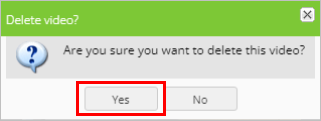
  1. Click Yes to confirm deletion.
confirm deletion
Last modified on March 3, 2026