

How the ServiceM8 Network works
The primary business (i.e. the business issuing the request) creates a Network Request within a job card, for a subcontractor to either provide a quote or perform work. It includes a general description of the work to be subcontracted and specific job requirements, including all necessary tasks, photos, documentation, and Forms. The primary business then sends the Network Request to the subcontractor. The Network Request will appear in both the job’s Diary and as a new checklist in the job card. The subcontractor will receive the Network Request and all job details via the ServiceM8 app or, if they do not have a ServiceM8 account, a browser link.
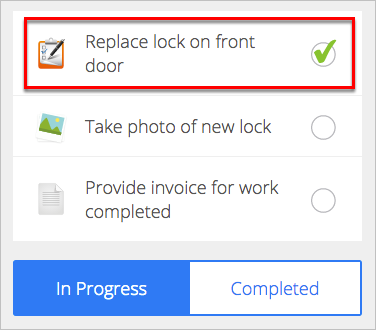
If the subcontractor accepts the job, they can check off job requirements as completed. All activity is automatically updated on the job card, giving the primary business full visibility over the job’s progress. They can also send and receive job-related messages within the platform, so all communications are housed in the job’s Diary.
The subcontractor will receive the Network Request and all job details via the ServiceM8 app or, if they do not have a ServiceM8 account, a browser link.
If the subcontractor accepts the job, they can check off job requirements as completed. All activity is automatically updated on the job card, giving the primary business full visibility over the job’s progress. They can also send and receive job-related messages within the platform, so all communications are housed in the job’s Diary.
How to join the ServiceM8 Network
To send requests to other businesses with ServiceM8 Network, you must have a ServiceM8 account with the free ServiceM8 Network add-on enabled. To complete requests for quotes and work orders, you don’t need a ServiceM8 account, but it is strongly recommended so you can convert Network Requests to jobs and manage them from the mobile app. (There are free ServiceM8 plans available for both iOS and Android apps, so you have nothing to lose and a lot to gain!)To activate the ServiceM8 Network add-on:
- From the Online Dashboard, go to Account > Features & Integrations.
- Find ServiceM8 Network and click Learn More.
- Toggle the button to ON to activate ServiceM8 Network.

Tip for success:
After you join the ServiceM8 Network, any Network Requests sent to your company email address should arrive in your ServiceM8 Inbox, ready to be easily converted into jobs. Go to Account > Settings > Preferences > Company Information to check that your email address is configured correctly, and ensure all businesses you work with know to send Network Requests to that same email address.