- Create the document template that will house the text and the answers from the form
- Create the form with its questions
- Link the question answers provided by the form to the document template
Create the document template for your Contract Variation form
Then go to Settings and click Forms

Click Open Form
 If you do not already have a sample form, see the lesson on Creating a simple Contract Variation Form.
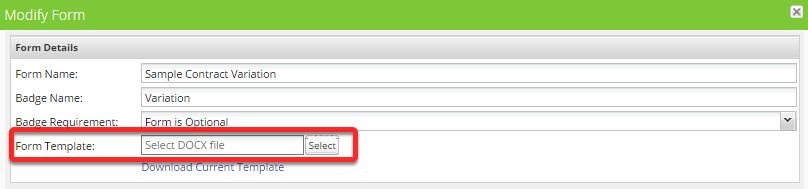
Select the Contract Variation form template that you have created
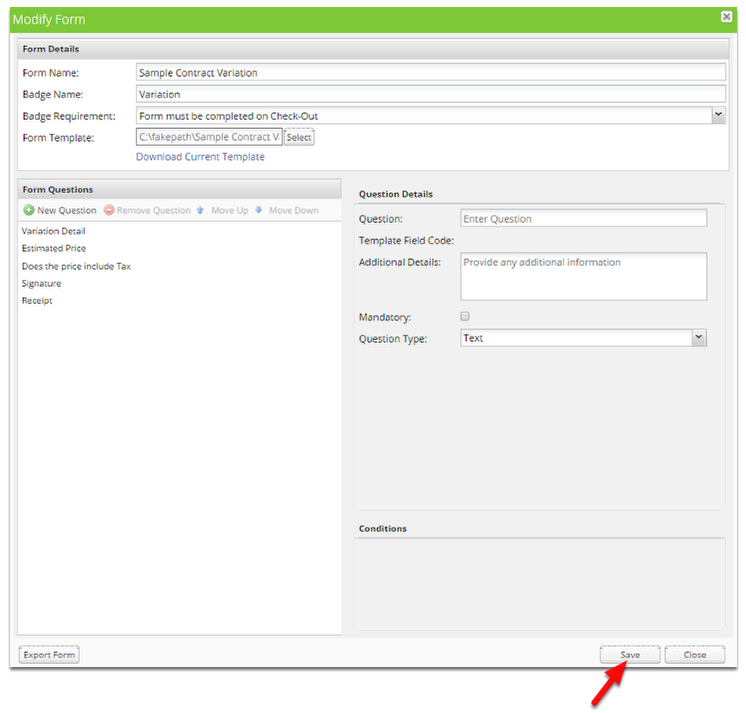
Save the form
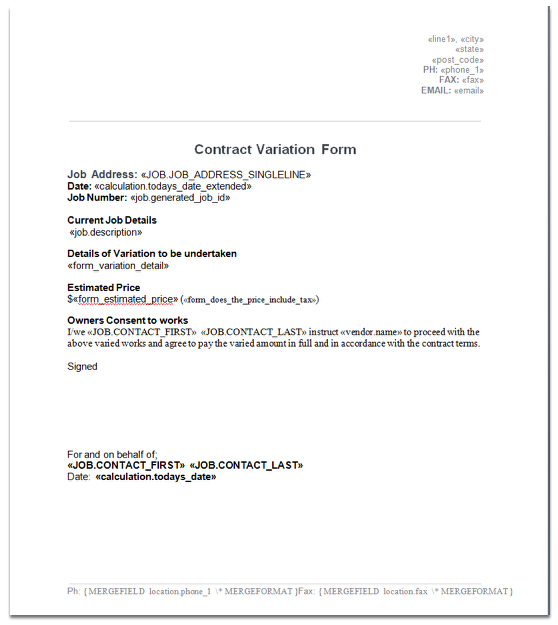
Overview of where the Template Field Codes from the form fit into the document template
 TIP: Click the image to enlarge.
How to insert a form “Template Field Code” into a document template

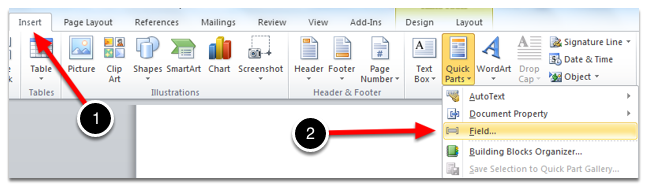
Click the Insert tab then the Quick Parts drop down and select Field…
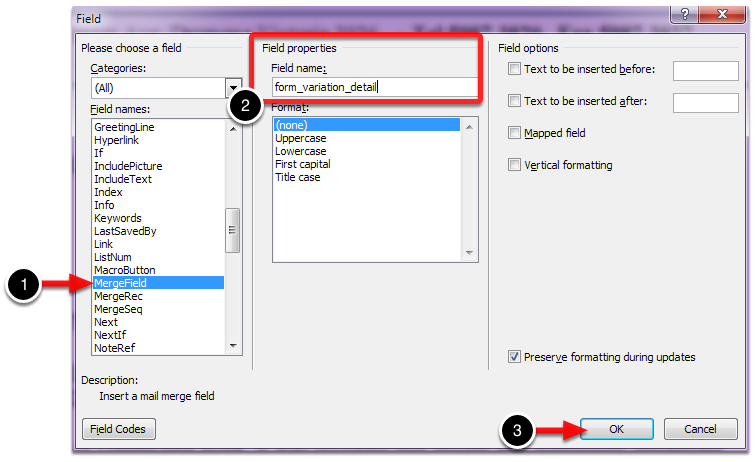
Select MergeField, enter the Field Name and click OK